

Choosing the right Squarespace business template is one of the most important decisions you'll make when building your online presence. A well-designed template shapes how potential clients perceive your brand, whether you're in marketing, consulting, eCommerce, or professional services. Financial advisors and accounting firms should also look at the Cedar Squarespace template, a trust-first design built specifically for financial services clients. The best Squarespace business templates combine visual impact with practical features like eCommerce, blogging, and contact forms. In this guide, we've tested and ranked the top options to help you find the right fit for your business.
A great Squarespace business template does more than look good - it converts visitors into customers. Look for templates with clear calls to action, intuitive navigation, and layouts built to showcase your services or products. The best options also load fast, work seamlessly on mobile, and give you enough flexibility to match your brand identity without needing a developer.
We evaluated each template based on design quality, customization flexibility, built-in features, and suitability for real business use cases.
Editor's Picks
| # | Name | Best For | Price | Rating | Image | |
|---|---|---|---|---|---|---|
| 1 | Versatile businesses wanting a unique, interactive homepage | Free | 4.3/5 |

|
More Info | |
| 2 | Service businesses wanting rich media and sidebar navigation | Free | 4.4/5 |
|
More Info | |
| 3 | Modern brands wanting a bold minimalist design with fast load times | Free | 4.4/5 |
|
More Info | |
| 4 | Small businesses and freelancers wanting a vibrant, showcase-ready site | Free | 4.3/5 |

|
More Info | |
| 5 | Professional service businesses focused on speed, SEO, and clean conversion design | Free | 4.5/5 |
.jpg)
|
More Info | |
| 6 | Businesses selling products, services, courses, or events alongside blog content | Free | 4.4/5 |

|
More Info | |
| 7 | Content-driven businesses selling digital products or building an audience | Free | 4.3/5 |

|
More Info | |
| 8 | Niche businesses and personal brands wanting a minimalist, multi-page site | Free | 4.3/5 |
|
More Info | |
| 9 | Professional firms, accountancies, and agencies wanting a polished, feature-rich site | Free | 4.4/5 |
|
More Info | |
| 10 | Service businesses and small catalogs needing a clean, booking-friendly site | Free | 4.2/5 |

|
More Info |
Our Picks: The 10 Best Squarespace Business Templates
Carson
Best for versatile business websites ✓ Pros
- Distinctive design suits a wide range of business niches.
- Interactive hover effect changes the image as visitors browse.
- Hidden navigation menu keeps the homepage clean and uncluttered.
- Easy to set up - no developer knowledge needed.
✗ Cons
- Hover effect may not translate well on mobile touchscreens.
- Limited layout variety for businesses needing multiple page types.
- Static homepage design may feel restrictive for content-heavy sites.
Carson stands out with its static homepage and interactive hover effect - a rare combination that makes any business website feel dynamic and engaging. The hidden menu keeps the design minimal while still giving visitors a clear path to explore your site. It works across a surprisingly wide range of niches, from creative agencies to professional services. If you want a Squarespace business template that doesn't look like everyone else's, Carson is a strong choice.
Bedford
Best for service-based businesses ✓ Pros
- Sidebar navigation and scrolling index pages aid site exploration.
- Supports photos, videos, and rich media throughout the site.
- Built-in eCommerce lets you take payments and sell services directly.
- Call-to-action buttons drive email sign-ups and client inquiries.
✗ Cons
- Sidebar layout can feel dated compared to modern full-width designs.
- Heavy media use may slow load times if images aren't optimized.
- Less flexible for businesses that need a portfolio-style homepage.
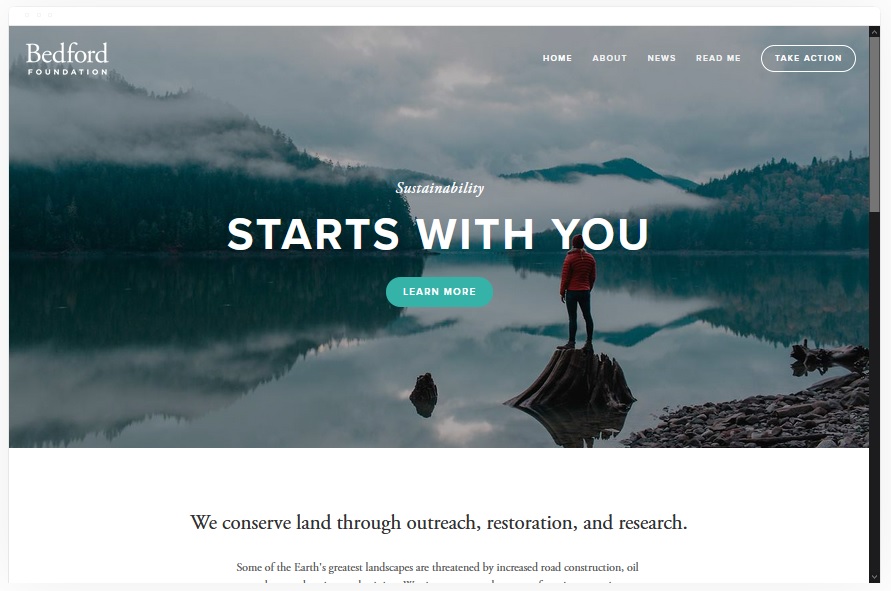
Bedford is one of the most popular Squarespace business templates for good reason - it packs in a lot of functionality without sacrificing design. The sidebar navigation and scrolling index page make it easy for visitors to explore your services and content. Built-in eCommerce means you can accept payments from day one, and the media support lets you use photos and videos to tell your brand story effectively. It's a reliable, well-rounded template for most service-based businesses.
Bailard
Best for bold, minimalist brands ✓ Pros
- Bold minimalist design makes a strong first impression instantly.
- Dual calls to action in the hero image drive conversions effectively.
- Lazy loading images keep page speed fast for better SEO.
- Clean layout draws attention to your most important content.
✗ Cons
- Minimalist style leaves little room for complex content structures.
- Limited template sections make it less suited to content-heavy sites.
- Two CTAs on the homepage can feel crowded if copy isn't concise.
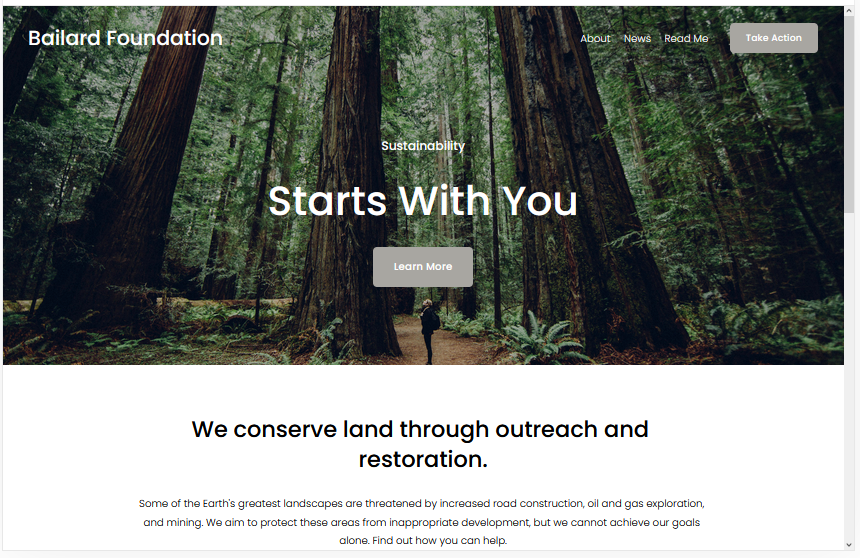
Bailard's bold, minimalist design is one of the most striking options among all Squarespace business templates. The hero image sits front and center with two clear calls to action - a smart layout for converting visitors quickly. Lazy loading ensures the site stays fast even with large images, which is a genuine advantage for SEO and user experience. If your brand is confident and image-driven, Bailard delivers an impressive first impression.
Sofia Rey
Best for small businesses and freelancers ✓ Pros
- Grid-based layout is easy to customize for any small business.
- Includes a resume section - great for service providers and consultants.
- eCommerce-ready so you can sell products or services immediately.
- Social media and review links integrate cleanly into the design.
✗ Cons
- Grid layout may feel too structured for brands wanting an organic feel.
- Resume section isn't useful for businesses without a personal brand angle.
- Less impactful for product-heavy stores needing a large catalog display.
Sofia Rey is an excellent choice for freelancers, consultants, and small business owners who want a polished, modern website without starting from scratch. The grid layout makes it easy to showcase your skills, services, and social proof in a structured way. The built-in resume section adds a nice personal touch for service providers, and the eCommerce integration means you can take payments directly through your site. It's vibrant, sleek, and highly customizable.
Avenue
Best for professional services with strong conversion focus ✓ Pros
- Professional minimalist design converts visitors without visual distractions.
- Fast load times give Avenue an edge for SEO and user retention.
- Fully customizable with no developer knowledge required.
- Supports images and videos on every page for rich content.
✗ Cons
- Minimalist style may feel too sparse for brands needing more personality.
- Fewer design flourishes make it harder to stand out in competitive niches.
- May require thoughtful content strategy to avoid feeling generic.
Avenue consistently earns its reputation as one of the best Squarespace templates for business - it's clean, fast, and built for conversion. The minimalist design puts your services or products front and center, and the quick load times are a real asset for both SEO rankings and keeping visitors engaged. You can customize it thoroughly without touching a line of code, and the ability to add videos and images on every page gives you plenty of room to tell your brand story.
Myhra
Best for multi-revenue businesses ✓ Pros
- Supports products, services, online courses, and events in one site.
- Built-in blog functionality helps grow organic traffic over time.
- Feature-rich design handles multiple revenue streams without feeling cluttered.
- Strong audience engagement tools keep customers coming back.
✗ Cons
- Feature depth can make setup more time-consuming than simpler templates.
- Busier layout may not suit brands wanting a pure minimalist look.
- Best value when you're using multiple features - overkill for simple sites.
Myhra is the go-to Squarespace business template for businesses that want to do more than just display services. You can sell physical or digital products, run online courses, host events, and maintain an active blog - all from a single cohesive site. The blog is particularly powerful for building organic reach, and the audience engagement tools help you turn one-time visitors into repeat customers. It's a genuinely versatile template for any business with multiple offerings.
Skye
Best for bloggers and digital product sellers ✓ Pros
- Fast-loading design keeps pages quick across all devices.
- Strong blogging layout makes it easy to build and grow an audience.
- eCommerce-ready for selling digital products or memberships.
- Fully mobile-friendly with a clean responsive layout.
✗ Cons
- Primarily content-focused - less suited for service or agency-style sites.
- Limited visual flair compared to more design-forward templates.
- Fullscreen mode may not work optimally on all screen sizes.
Skye is a standout Squarespace business template for any brand where content is central to the growth strategy. Its blogging capabilities are among the best in the template lineup, and the fast load speeds mean your SEO efforts won't be undermined by sluggish pages. The eCommerce integration lets you monetize your audience through digital product sales or subscriptions. It's mobile-friendly, versatile, and used by brands across a wide range of sectors.
Harris
Best for niche businesses and personal brands ✓ Pros
- Minimalist design works cleanly across a wide range of business niches.
- Built-in eCommerce supports product and service sales.
- Multiple page options including About, Services, and Projects sections.
- Striking header showcases your brand from the first scroll.
✗ Cons
- Minimalist approach limits visual impact for image-heavy brands.
- Navigation menu may need careful structuring to avoid feeling too sparse.
- eCommerce features are basic - not ideal for large product catalogs.
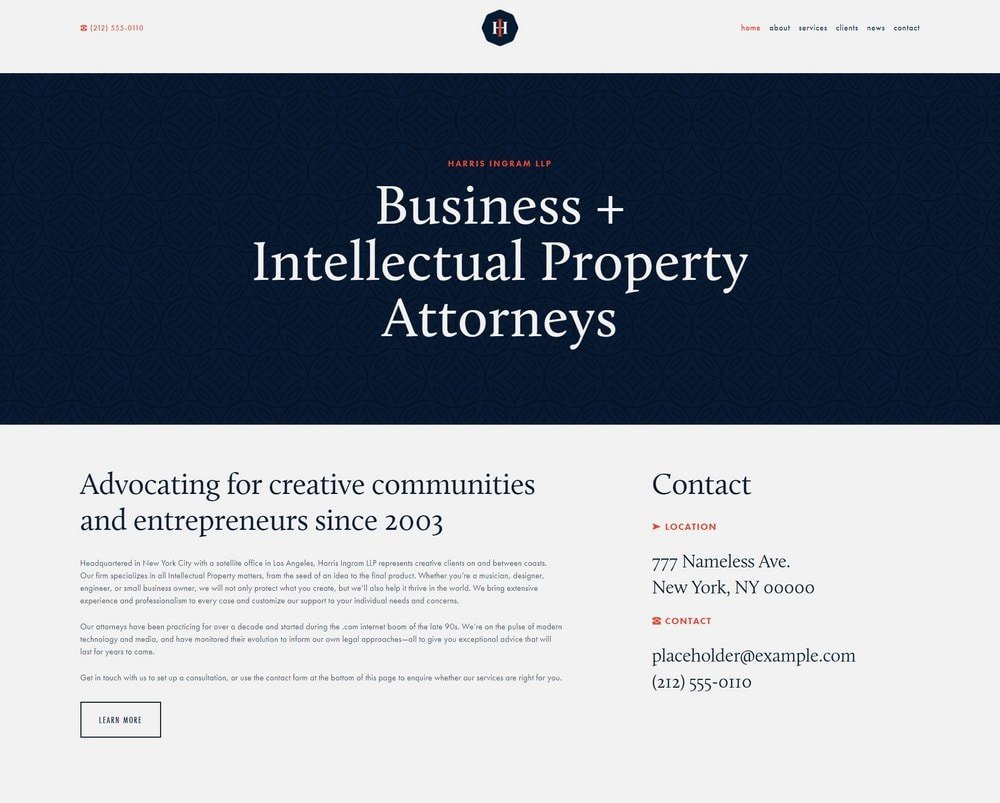
Harris is a well-executed minimalist Squarespace business template that gives you the flexibility to build almost any kind of business website. The beautiful header makes a strong first impression, and the multiple page options - including About, Services, and Projects - give you a solid site architecture out of the box. Built-in eCommerce and a clear navigation menu make it easy for visitors to find what they're looking for and take action. It's especially effective for businesses building a distinctive brand identity.
Hayden
Best for professional firms and agencies ✓ Pros
- Professional appearance immediately conveys credibility and trustworthiness.
- Sticky navigation bar ensures visitors can always find their way around.
- Portfolio pages let you showcase past projects and client work.
- Blog integration helps drive consistent organic traffic over time.
✗ Cons
- More formal design may feel too corporate for casual or creative brands.
- Portfolio section is less effective without strong visual case study content.
- Requires well-written copy to match the polished professional design.
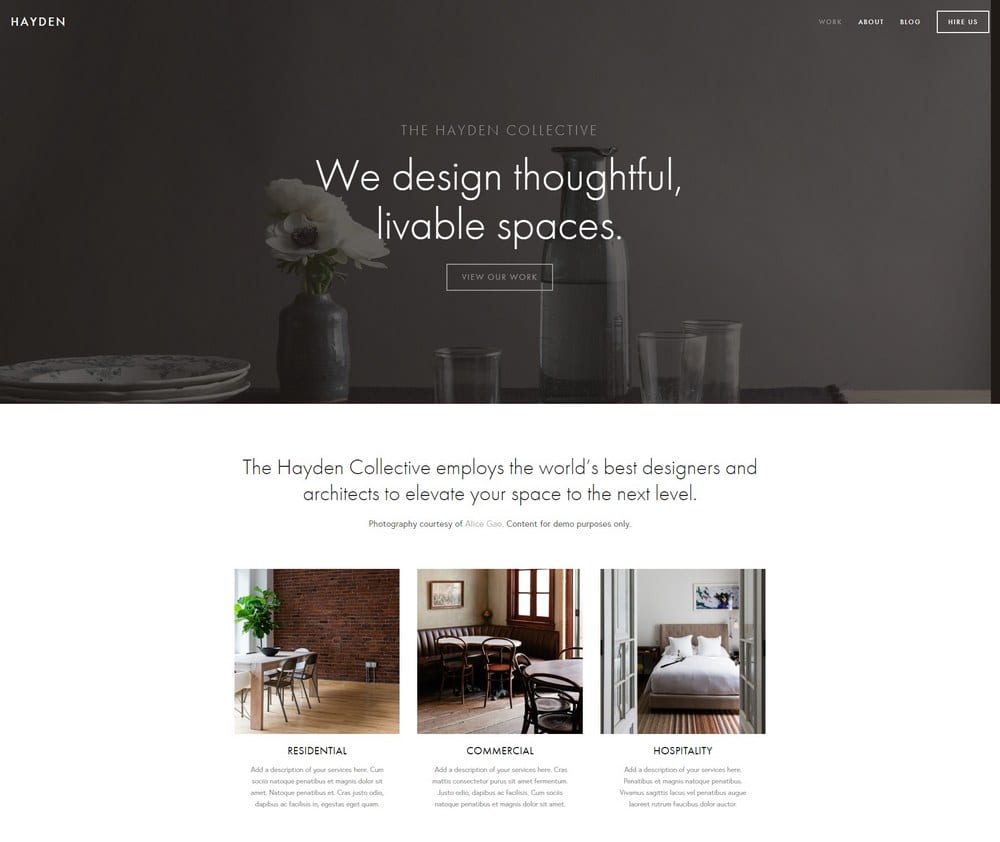
Hayden is purpose-built for professional businesses like accountancy firms, marketing agencies, and consultancies that need a website that radiates credibility. The sticky navigation bar keeps visitors oriented as they explore, and the portfolio pages give you a structured way to present past work and results. A built-in blog helps you grow your audience over time, and the template is easy enough to edit that you won't need ongoing developer support. It's one of the most business-ready Squarespace templates available.
Almar
Best for bookings and service-based small businesses ✓ Pros
- Clean, polished design is nearly ready to publish with minimal editing.
- Built-in eCommerce suits small product or service catalogs perfectly.
- Multiple call-to-action options drive bookings and inquiries effectively.
- Social media integration keeps your online presence connected.
✗ Cons
- eCommerce features are limited for businesses with large product ranges.
- Clean aesthetic can feel plain without strong brand photography.
- Fewer layout variations than more flexible templates in this list.
Almar is one of the most accessible Squarespace business templates - it looks professional almost immediately after setup, which makes it ideal for small business owners who want to launch quickly. Its eCommerce capabilities handle small catalogs well, and the call-to-action setup is particularly effective for businesses that rely on bookings and inquiries. Social media links integrate cleanly, and the overall design is easy to edit and maintain without any technical knowledge.
How to Choose the Best Squarespace Business Template
Match the Template to Your Business Type
Not all Squarespace business templates are built for the same purpose. A service-based consultancy has different needs from an eCommerce store or a content-driven blog. Start by identifying your primary goal - whether that's generating leads, selling products, showcasing a portfolio, or building an audience - and choose a template whose default layout reflects that goal. The closer the template's structure is to what you need, the less customization work you'll have to do.
Prioritize Speed and Mobile Performance
Page speed directly affects both your search engine rankings and your visitor experience. Templates with lazy loading, clean code, and minimal bloat will outperform visually complex options over time. Given that the majority of web traffic now comes from mobile devices, every Squarespace business template you consider should look and function flawlessly on a smartphone screen before you commit to it.
Look for Built-In Conversion Features
A great-looking website that doesn't convert visitors into customers isn't doing its job. Look for templates with prominent call-to-action buttons, easy-to-find contact forms, and layouts that naturally guide visitors toward taking the next step. Sticky navigation menus, clear service descriptions, and strategically placed CTAs all contribute to a higher conversion rate without requiring expensive plugins or developer work.
Consider How Much You'll Need to Customize
Some Squarespace business templates require significant customization to match your brand, while others look polished with minimal changes. If you have strong brand assets - professional photos, a defined color palette, and clear copy - almost any template will work well. If you're starting from scratch, choose a template that looks close to your target design out of the box, so the gap between the demo and your finished site is as small as possible.
Frequently Asked Questions
Which Squarespace template is best for a business website?
Are Squarespace business templates free?
Can I switch Squarespace templates after building my site?
Do Squarespace business templates include eCommerce?
Are Squarespace templates mobile-friendly?
Which Squarespace template is best for SEO?
Can I use Squarespace for a professional services business?
How long does it take to set up a Squarespace business site?
How We Evaluate Templates
Conclusion: The Best Squarespace Business Templates
The right Squarespace business template sets the tone for your entire online presence - whether you're showcasing professional services, selling products, or building an audience through content. Each of the ten templates in this guide brings something different to the table, from Avenue's conversion-focused minimalism to Myhra's multi-revenue flexibility and Hayden's professional polish. The best choice comes down to your business type, your primary goals, and how much customization you're prepared to do.
For more guidance on finding the right template for your needs, take a look at our full guide to Squarespace templates for business and services.
* Read the rest of the post and open up an offer