

Creating an online store is just the first step. Making it sell requires intentional optimization. Squarespace includes marketing, analytics, and conversion tools that most store owners set up once and forget about. Here are the strategies that actually move the needle. For the full e-commerce overview, see our E-Commerce and Monetization guide.
Optimize Your Storefront Design
Your storefront design directly affects whether visitors browse or bounce. Squarespace gives you the tools, so use them intentionally:
- Consistent branding: Use your logo, brand colors, and fonts across every page. A cohesive look builds trust.
- Clear product categories: Organize products so visitors can find what they want in 2-3 clicks. Don't make them scroll through everything.
- Featured products on the homepage: Use customizable content blocks to showcase bestsellers, new arrivals, or seasonal items above the fold.
- Clean layouts: Remove clutter. Every element should either sell a product or help the customer navigate. If it doesn't do either, remove it.
For advanced design customization, Squarespace supports CSS editing and code injection for precise adjustments that go beyond the standard editor.
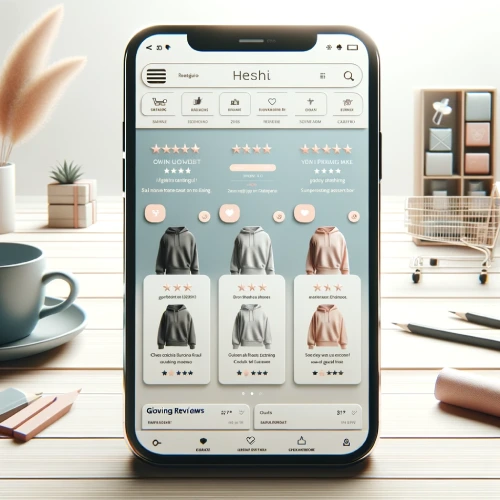
Product Page Optimization
Product pages are where buying decisions happen. Optimize every element:
Product Photography
- Use high-quality images (Squarespace recommends 1500-2500px wide)
- Show products from multiple angles
- Include at least one lifestyle or context image showing the product in use
- Keep backgrounds clean and consistent across all products
Product Descriptions
- Lead with the benefit, not the feature. "Keeps your coffee hot for 12 hours" beats "double-wall vacuum insulation."
- Include specifications in a separate section for detail-oriented buyers
- Use keywords naturally for SEO, describing the product the way a customer would search for it (for example: "handmade ceramic mug, 12oz stoneware coffee cup")
Social Proof
- Display customer reviews on product pages using Squarespace's review features or a third-party integration
- Show purchase counts or "bestseller" labels to create confidence
- Add trust signals near the buy button: secure checkout badge, money-back guarantee, shipping info
Email Marketing That Drives Sales
Email marketing consistently delivers the highest ROI of any marketing channel for e-commerce. Squarespace includes email campaign tools, so use them:
Build Your Email List
- Add pop-ups offering a discount code for first-time subscribers (e.g., "Get 10% off your first order")
- Use newsletter blocks on your homepage and blog posts
- Enable newsletter sign-up at checkout (Commerce plans)
Send Campaigns That Convert
- New product announcements: Show what's new with images and a direct link to buy
- Seasonal promotions: Holiday sales, back-to-school, end-of-season clearance
- Abandoned cart reminders: Automated emails to customers who left items in their cart (Advanced Commerce)
- Re-engagement: Win back customers who haven't purchased in 60-90 days

Social Media Integration
Connect your store to social media for additional sales channels:
- Instagram Shopping: Tag products in posts and stories so followers can buy directly
- Facebook Shop: Sync your product catalog to sell through Facebook
- Pinterest: Enable rich pins that show pricing and availability
Social commerce works best when you post consistently and show products in context (lifestyle images, customer photos, behind-the-scenes content) rather than just product shots.
SEO for Your Store
Organic search traffic converts better than almost any other source because visitors are actively looking for what you sell. Use Squarespace's built-in SEO tools:
- Product page titles: Include the product name and a relevant keyword
- Meta descriptions: Write compelling descriptions that make searchers want to click
- URL slugs: Keep them short and descriptive (/ceramic-mug-12oz, not /product-12345)
- Alt text: Describe product images with keywords for image search visibility
- Blog content: Write posts about your products, process, or industry to attract search traffic that you can convert into sales
Google Shopping Integration
Squarespace has a built-in connection to Google Merchant Center that lets you sync your product catalog to Google Shopping. This puts your products in front of searchers who are actively ready to buy, without any ad spend required for organic Shopping listings.
To use it, you need a free Google Merchant Center account and a Commerce Basic or Commerce Advanced plan. Once connected, Squarespace automatically syncs product titles, descriptions, prices, availability, and images. The sync runs on a schedule, so new products and price changes propagate without manual action.
Common sync errors to watch for:
- Missing GTIN or MPN: Google requires product identifiers for most categories. Add these in the "Additional Info" section of each product.
- Image policy violations: Images with watermarks, overlaid text, or borders are rejected. Use clean product photos.
- Price mismatch: If your Squarespace price and Merchant Center price differ (due to caching), re-save the product to force a resync.
- Missing shipping settings: Set up shipping in Merchant Center to match your Squarespace checkout options, or Google will disapprove your items.
Once your products are approved in Merchant Center, they can appear in Google Shopping tabs and in image search results at no cost. Paid Google Shopping ads (run through Google Ads) build on the same product feed, so getting the organic connection right first is the foundation for any future paid campaigns.
Conversion Rate Optimization
Small improvements to your conversion rate compound into significant revenue gains. Here's what to focus on:
Simplify Checkout
- Minimize form fields, only asking for what you need
- Offer guest checkout (don't force account creation)
- Display multiple payment options (credit cards, PayPal, Apple Pay)
- Show shipping costs early, as surprise fees at checkout cause abandonment
Create Urgency
- Low-stock labels ("Only 3 left") encourage faster decisions
- Limited-time discount codes create a deadline
- Announcement bars highlighting sales or free shipping thresholds
Use Related Products
Enable related product suggestions on every product page. Squarespace can show related items automatically based on categories and tags. This increases average order value by putting additional options in front of buyers who are already in a purchasing mindset.

Mobile Optimization
Over half of online shopping happens on mobile. Squarespace templates are responsive by default, but you should still check:
- Product images load quickly on mobile connections
- Buy buttons are large enough to tap easily
- The checkout form works smoothly on a phone screen
- Navigation menus are simple to use on small screens
- Text is readable without zooming
Use Analytics to Guide Decisions
Squarespace's analytics show you what's working and what's not. Check regularly:
- Top-selling products: Feature these more prominently. Consider bundling them with slower sellers.
- Traffic sources: Where do your buyers come from? Put more effort into the channels that actually drive sales.
- Conversion funnel: Where do visitors drop off? If they view products but don't add to cart, your product pages need work. If they add to cart but don't complete checkout, your checkout flow needs improvement.
- Customer behavior: What pages do buyers visit before purchasing? Make those pages easier to find.

Abandoned Cart Recovery
On the Advanced Commerce plan, you can send automated emails to customers who left items in their cart. This single feature recovers revenue that would otherwise be lost:
- Send the first reminder 1-2 hours after abandonment (highest recovery rate)
- Follow up 24 hours later if they still haven't completed the purchase
- Include the product image and a direct link back to their cart
- Consider offering a small discount in the second email to encourage completion
Subscription Products and Recurring Revenue
Squarespace supports subscription products on Commerce Basic and Commerce Advanced plans. Instead of selling a one-time purchase, you can offer customers the option to subscribe and receive a product automatically on a weekly, monthly, or custom schedule at a discounted rate.
To set up a subscription, open any physical or digital product in your product editor and enable the "Subscription" option under pricing. You set the billing frequency, the price, and whether customers can also buy the same product as a one-time purchase. Squarespace handles billing automatically through Stripe or PayPal.
Why recurring revenue beats one-time sales for long-term growth:
- Predictable monthly revenue: Subscriptions give you a baseline you can plan around. One-time sales create volatile monthly figures.
- Lower acquisition cost per dollar earned: You acquire the customer once but earn from them repeatedly. Your cost per sale drops with every renewal.
- Higher customer lifetime value: A subscriber who stays 12 months is worth 12x a single-purchase customer, even at the same price point.
- Inventory planning: Subscription volume tells you exactly how much to stock each cycle.
Good candidates for subscriptions: consumables (coffee, supplements, skincare), curated boxes, digital products like templates or presets, and any product people buy on a regular schedule. If you sell something customers reorder, a subscription with a small discount ("Subscribe and save 10%") converts that repeat behavior into guaranteed revenue.
Discount and Promotion Strategy
- First-purchase discounts: Offer 10-15% off to convert first-time visitors into buyers
- Free shipping thresholds: "Free shipping on orders over $50" increases average order value
- Seasonal sales: Plan promotions around holidays and shopping events
- Loyalty rewards: Send exclusive discount codes to repeat customers
- Announcement bars: Display current promotions at the top of every page

What Squarespace Store Owners Get Wrong About Conversion
Most conversion rate guides tell you the same things: better photos, simpler checkout, more trust signals. Here are five mistakes specific to Squarespace stores that most guides skip entirely:
- Using a free trial domain in ads: If you run any social ads during your Squarespace trial, your links contain the free trial subdomain (yoursite.squarespace.com). Visitors who click an ad, leave, and try to return may not find the site if the URL changed when you upgraded. Always connect a custom domain before running any paid traffic.
- Not setting variant images: When you add size or color variants to a product, Squarespace lets you assign a specific image to each variant. Most store owners skip this, so the product image doesn't change when a customer selects "Navy Blue." Assigning variant images removes this point of confusion and reduces return requests.
- Template product photos instead of original shots: Squarespace templates often ship with beautiful demo photos. Some sellers launch with those placeholder images still on their pages, or use stock photos that don't match their actual product. Customers notice. One real photo of your actual product outperforms ten polished stock images.
- Not enabling the Google Shopping feed: Squarespace has a built-in Google Merchant Center connection that most store owners never activate. Products sitting behind that unconnected feed are invisible to one of the highest-converting traffic sources available.
- Ignoring the product category page: Many stores optimize individual product pages but leave category pages with just a grid of products and no text. Category pages can rank for broad keyword terms ("handmade ceramic mugs") that individual product pages can't target. Add a short description above the product grid on each category page.
What to Prioritize First
If you're just getting started with optimization, focus on these three changes before anything else. They consistently deliver the biggest return:
- Product photography: High-quality images from multiple angles. This is the single biggest lever on product page conversion rates.
- Simplified checkout: Remove friction. Guest checkout, early shipping cost display, and multiple payment options can recover a meaningful percentage of abandoning customers.
- Email list building: A subscriber list you own is more valuable than any social media following. Get a pop-up with a first-purchase discount live before you do anything else in email marketing.
Once these are in place, layer in the rest: SEO, social commerce, analytics review, and abandoned cart sequences.
Your template choice affects which sales tools are readily available. Learn about choosing the right Squarespace template to get the best foundation.
Bottom Line
Improving sales on Squarespace comes down to using the tools the platform already gives you. Focus on better product pages, consistent email marketing, SEO for organic traffic, social media integration, and data-driven decisions from analytics. For the full feature set, see Squarespace's built-in features.
For insights into how customers rate these features, see our what real customers think about Squarespace e-commerce.
Frequently Asked Questions
How do I increase sales on my Squarespace store?
Does Squarespace integrate with Google Shopping?
Can I sell subscriptions on Squarespace?
Does Squarespace have abandoned cart recovery?
What SEO features does Squarespace have for online stores?
How do I reduce cart abandonment on Squarespace?
* Read the rest of the post and open up an offer