
Squarespace and Pixieset are both popular among photographers and creatives, but they solve different problems. Squarespace gives you a complete website with a blog, online store, custom pages, and SEO tools. Pixieset is built specifically for photographers who need to deliver client galleries, run proofing sessions, and sell prints.
If you need a full online presence -- portfolio, blog, services page, and store -- Squarespace is the broader tool. If your main need is delivering photos to clients and selling prints, Pixieset focuses on exactly that. Below, we compare every major feature side by side.
Squarespace: A Full Website Builder for Creatives
Squarespace is a general-purpose website builder known for its polished, modern templates. It works for any type of site, but its design-forward approach makes it especially popular with photographers, designers, and artists.
User-Friendly Interface
Squarespace uses an intuitive drag-and-drop editor that lets you customize layouts, fonts, colors, and content blocks without writing code. The section-based system keeps pages clean and consistent, even if you have no design background.
E-Commerce Features
Squarespace includes built-in online store functionality with inventory management, secure checkout, digital product sales, and subscription options. No transaction fees on commerce plans.
Mobile Responsiveness
Every Squarespace template is automatically optimized for mobile devices and different screen sizes. You do not need to build a separate mobile version of your site.
Blogging and Content Management
Squarespace offers a full blogging platform with post scheduling, categories, tags, contributor roles, and built-in SEO tools. You can embed images, videos, and audio directly into posts and share them through social media integrations.
Pixieset: Built for Photographers
Pixieset is a specialized platform designed for photographers and creative professionals. It is not a general website builder -- it focuses on client gallery delivery, proofing, and print sales, with a website builder added as part of its suite.
Client Galleries and Proofing
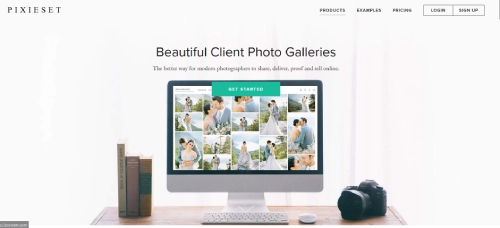
Pixieset's core feature is its client gallery system. You upload photos to a gallery, share the link with your client, and they can view, favorite, comment on, and select images for final delivery. This proofing workflow is what sets Pixieset apart from general website builders.
E-Commerce for Photographers
Pixieset integrates print fulfillment directly into its platform. Clients can order prints, canvases, and other products from your galleries. You set your markup, and Pixieset handles printing and shipping through lab partners. Digital downloads are also supported.
Customizable Branding
You can apply your logo, colors, and fonts to client galleries, your website, and your online store. This keeps your brand consistent across every client touchpoint.
Workflow Tools
Pixieset's Studio Manager handles client communication, contracts, invoicing, questionnaires, and scheduling. These tools are designed specifically for the photographer-client workflow, from booking through delivery.
Both Squarespace and Pixieset are creative and design-focused platforms, but they target different needs. Squarespace is a full website builder suitable for any business. Pixieset is a photographer-specific toolkit that combines galleries, proofing, print sales, and studio management in one package.
Blogging: Squarespace vs Pixieset
If blogging is important to your marketing strategy, this is where the two platforms differ significantly.
Squarespace Blogging
Squarespace treats blogging as a core feature. You get a WYSIWYG editor, multimedia embedding, SEO controls for each post, scheduling, categories, tags, and social sharing. The blogging templates are designed for long-form content and look professional without custom styling.
Pixieset Blogging
Pixieset added blogging to its website builder, but it is more limited. You can create posts with images and text, which works for sharing recent sessions or behind-the-scenes content. However, it lacks the depth of Squarespace's content management system -- fewer layout options, limited SEO controls, and no advanced scheduling.
If you plan to publish regular blog content to attract new clients through search engines, Squarespace is the stronger choice. If you just want to share occasional session highlights, Pixieset's blog covers the basics.
E-Commerce Comparison

Squarespace and Pixieset both offer e-commerce, but they serve different selling models.
Squarespace supports selling any type of product -- physical goods, digital downloads, services, gift cards, and subscriptions. It includes inventory tracking, discount codes, abandoned cart recovery (on commerce plans), and integration with shipping carriers. It is a general-purpose online store.
Pixieset focuses on selling photographic products. Clients can order prints, albums, canvases, and digital downloads directly from their galleries. Pixieset partners with print labs to handle fulfillment, so you do not need to manage printing or shipping. You set your prices above the lab cost and keep the difference.
If you sell a variety of products or services beyond photography, Squarespace's store is more flexible. If your revenue comes from print and digital photo sales, Pixieset's fulfillment integration saves you significant time.
Community and Support
Both platforms provide support resources, but the format and availability differ.
Squarespace Support
- 24/7 email support with typically fast response times.
- Live chat during business hours for immediate help.
- A large knowledge base with step-by-step guides and video tutorials.
- Active community forum where users share tips and solutions.
Pixieset Support
- Email support with a reputation for responsive, helpful replies.
- A help center with articles covering platform features and common workflows.
- Occasional live workshops and webinars on photography business topics.
- Active social media presence with tips and feature announcements.
Neither platform offers phone support. Squarespace's live chat is an advantage if you need answers quickly. Pixieset's workshops and photography-specific content are valuable if you want to grow your photography business alongside learning the platform.
Pricing: Squarespace vs Pixieset
Squarespace Pricing
| Plan | Description | Monthly Fee | Annual Fee |
| Personal | Foundational plan with access to fully customizable, best-in-class templates | $23/month | $16/month (Save 30% annually) |
| Business | Ideal for those looking to grow their audience and begin taking payments | $33/month | $23/month (Save 30% annually) |
| Commerce (Basic) | For individuals and businesses selling products or services online with no transaction fees | $36/month | $27/month (Save 25% annually) |
| Commerce (Advanced) | For experienced sellers who need a full set of tools to manage and expand their online stores with no transaction fees | $65/month | $49/month (Save 24% annually) |
Pixieset Pricing
| Plan | Description | Pricing |
| Free |
| $0/mo |
| Plus |
| $12/mo Billed annually or $15 monthly |
| Pro |
| $18/mo Billed annually or $24 monthly |
| The Suite (all apps) | The Suite plan includes all apps in one package at a great price.
| From $28/month Up to 37% OFF |
Pixieset's free plan is a big advantage if you are just starting out and need to deliver galleries on a budget. However, for a full professional website with blogging, e-commerce, and custom pages, Squarespace's Personal plan at $16/mo offers more overall functionality.
When to Choose Squarespace
- You need a complete website with portfolio, blog, services, and store pages.
- You want to attract new clients through SEO and content marketing.
- You sell products or services beyond prints and digital downloads.
- You prefer built-in tools over managing multiple apps.
- You want polished, mobile-responsive templates without heavy customization.
When to Choose Pixieset
- Your main need is delivering client galleries and running proofing sessions.
- You want integrated print fulfillment through lab partners.
- You need studio management tools (contracts, invoicing, scheduling) in one platform.
- You are just starting out and want a free plan to test the waters.
- You want a mobile gallery app your clients can use on their phones.
Squarespace vs Pixieset: Which Should You Choose?
After comparing the core differences, the choice between Squarespace and Pixieset usually comes down to what you need the site to do beyond photo delivery. If you also want maximum design control over how that site looks, see our Squarespace vs Cargo comparison.
- Choose Squarespace if your website needs to do more than show a portfolio. If you want to blog, sell prints or services, run email marketing, publish long-form content, or build a brand presence that goes beyond photography, Squarespace is the stronger platform. It is also the better choice if you want one tool to handle both your public website and your client work.
- Choose Pixieset if client gallery delivery is your primary need. Wedding photographers, portrait photographers, and event photographers who spend most of their time delivering final images to paying clients will find Pixieset's gallery tools, download management, and client portal far more purpose-built than anything Squarespace offers natively.
- Use both together if you need the best of each. Many photographers use Squarespace for their public-facing website and Pixieset for client delivery. The two platforms are not mutually exclusive, and the combined cost is often less than a custom solution that tries to do everything.
The squarespace vs pixieset decision rarely has a universally correct answer. It depends on whether your business is primarily about attracting new clients (Squarespace wins) or delivering work to existing ones (Pixieset wins), or both.
Frequently Asked Questions
Can I use Squarespace and Pixieset together?
Is Pixieset only for photographers?
Does Squarespace have client gallery features like Pixieset?
Which platform is better for SEO?
Can I sell prints on Squarespace?
Is Pixieset free to use?
* Read the rest of the post and open up an offer