

Editor's Picks
| # | Name | Best For | Price | Rating | Image | |
|---|---|---|---|---|---|---|
| 1 | Creatives, photographers, and portfolio owners who want media-rich interactive pages | Free | 4.5/5 |
|
More Info | |
| 2 | Businesses, creatives, and entrepreneurs in any niche who need a versatile interactive template | Free | 4.4/5 |
|
More Info | |
| 3 | Bloggers, content creators, and media brands who want smooth scrolling and multimedia integration | Free | 4.4/5 |
|
More Info | |
| 4 | Travel bloggers, food bloggers, visual storytellers, and creatives who rely on video and social media | Free | 4.3/5 |
|
More Info | |
| 5 | Brands and creatives who want striking visual impact with scrolling effects and strong CTAs | Free | 4.3/5 |
|
More Info | |
| 6 | Corporate businesses, service providers, and professional firms who need a polished interactive web presence | Free | 4.3/5 |
|
More Info | |
| 7 | Food, travel, and art bloggers who build their brand through social media and visual storytelling | Free | 4.1/5 |
.png)
|
More Info | |
| 8 | Bloggers and content creators who want a clean, grid-based interactive blog with animations | Free | 4.2/5 |
|
More Info | |
| 9 | Restaurants, cafes, and food businesses who want large imagery and integrated scheduling | Free | 4.2/5 |

|
More Info | |
| 10 | Online store owners and entrepreneurs who want a fast, clean, interactive shopping experience | Free | 4.2/5 |
.jpg)
|
More Info |
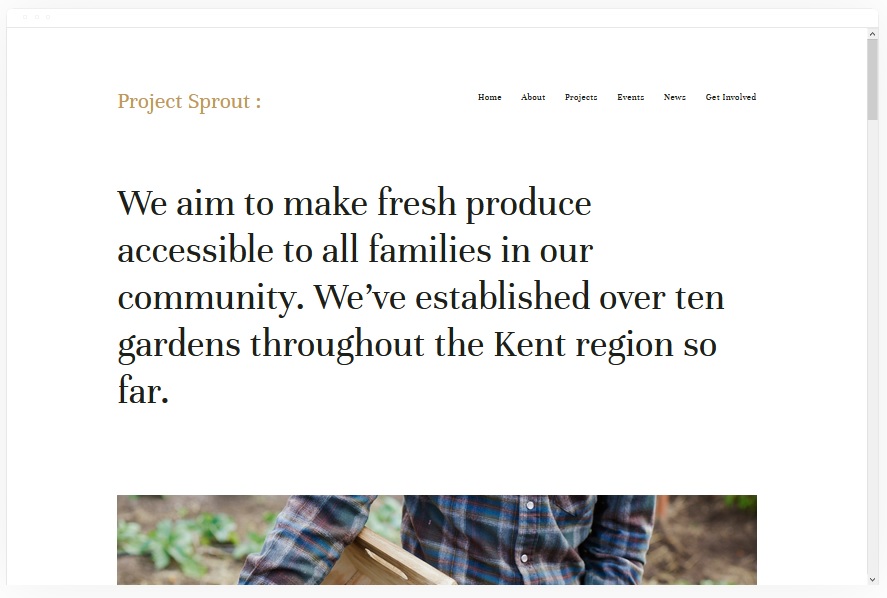
Kent
Best for Media-Rich Interactive Portfolios ✓ Pros
- Dedicated portfolio pages with cover pages, blog pages, event pages, and album pages give you multiple interactive content formats within one cohesive template - visitors move between media types naturally.
- Built-in eCommerce support means you can sell products directly alongside your interactive portfolio without bolting on a separate store experience.
- Beginner-friendly editor makes building an interactive website accessible even if you have zero design or coding experience - drag, drop, and publish.
- Cover pages create full-screen, immersive landing experiences that immediately signal this is an interactive site worth exploring, not a static brochure.
- Album pages are purpose-built for visual storytelling, letting you organize photography and media into browsable, interactive collections that keep visitors engaged longer.
✗ Cons
- The media-rich structure demands strong visual assets - if your photography or imagery is weak, the interactive layout amplifies the gap rather than hiding it.
- Cover pages and album pages require thoughtful content planning to avoid overwhelming visitors with too many interactive entry points competing for attention.
- Less suited to text-heavy sites like consulting or legal practices where written content matters more than visual interaction.
Kent is the interactive Squarespace template that rewards people who have great visuals and want every page to feel alive. The combination of cover pages, album pages, blog integration, and product listings means visitors always have somewhere to go next - and every destination feels intentionally designed. If you are building a portfolio or creative brand and want an interactive website template that keeps visitors clicking deeper rather than bouncing, Kent delivers that engagement without requiring technical skill.
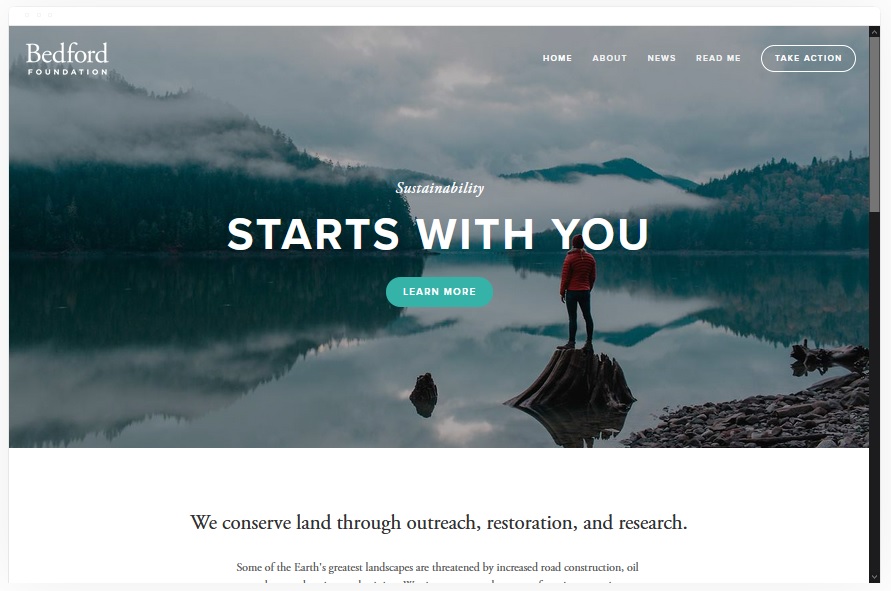
Bedford
Best for Versatile Interactive Websites Across All Niches ✓ Pros
- Sidebar navigation keeps the menu accessible at all times without cluttering the main content area - visitors can jump between sections instantly, which is exactly what makes an interactive website feel responsive and fast.
- Supports images and videos on every page, so you can build media-rich interactive experiences throughout your entire site rather than limiting engagement to a single gallery page.
- Banner sections with built-in CTAs create natural interactive touchpoints that guide visitors toward key actions without feeling pushy or disruptive.
- Full eCommerce functionality lets you run an interactive online store complete with product galleries, shopping cart, and checkout - no third-party plugins needed.
- Works across virtually every niche, from creative portfolios to professional services to online retail, making it one of the most adaptable interactive Squarespace templates available.
✗ Cons
- The sidebar navigation style takes some getting used to for visitors accustomed to traditional top-bar menus - it can feel unfamiliar on first visit.
- The sheer versatility means the template does not have a strong visual personality out of the box - you need to invest in customization to make it stand out.
- Banner-heavy layouts can feel repetitive if every page follows the same pattern of hero image plus CTA without variation in interactive elements.
Bedford is the Swiss army knife of interactive Squarespace templates. It does not specialize in one niche - it adapts to whatever you throw at it. Sidebar navigation, media on every page, banners with CTAs, and full eCommerce mean you can build a genuinely interactive website for any kind of business or creative project. The trade-off is that Bedford asks more from you in terms of customization. But if you are willing to invest in making it your own, there is almost no limit to what this interactive template can do.
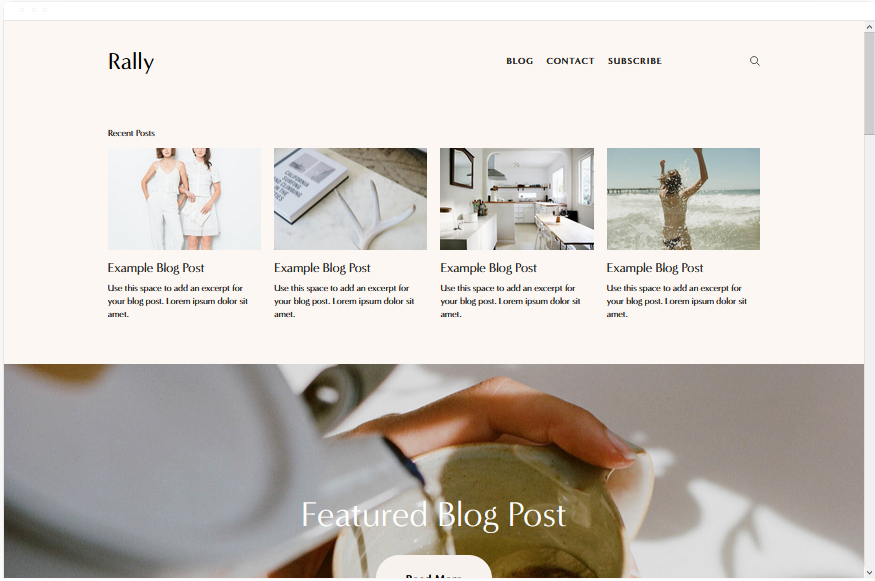
Rally
Best for Bloggers & Content Creators Who Want Interactive Scrolling ✓ Pros
- Smooth scrolling experience makes browsing feel fluid and responsive - visitors glide through your content rather than jumping between static sections, which is the hallmark of a well-built interactive website.
- Social media links positioned in the top-right corner make cross-platform engagement effortless, keeping your interactive presence connected across channels without intrusive pop-ups.
- Strong blogging platform with clean post layouts, category support, and embedded media - ideal for content creators who want their blog to feel as interactive as the rest of their site.
- Native support for images, videos, and audio means you can build truly multimedia interactive content without relying on external embeds or workarounds.
- Clean design keeps the focus on content consumption, reducing friction between the visitor and the interactive experience you have built.
✗ Cons
- The content-first design is less suited to product-heavy eCommerce stores where browsing and purchasing - not reading - are the primary interactive behaviors.
- Social media link placement in the top-right may feel disconnected on mobile where screen real estate is more limited and navigation patterns differ.
- The smooth scrolling effect works best with well-structured, section-based content - poorly organized pages will feel like endless scrolling rather than interactive exploration.
Rally is the interactive Squarespace template built for people who create content and want their audience to actually consume it. The smooth scrolling, multimedia support, and clean blog layout create an environment where visitors read more, watch more, and engage more deeply with every piece of content you publish. If your website is built around a blog, podcast, or content brand and you want the browsing experience itself to feel interactive and immersive, Rally is purpose-built for that.
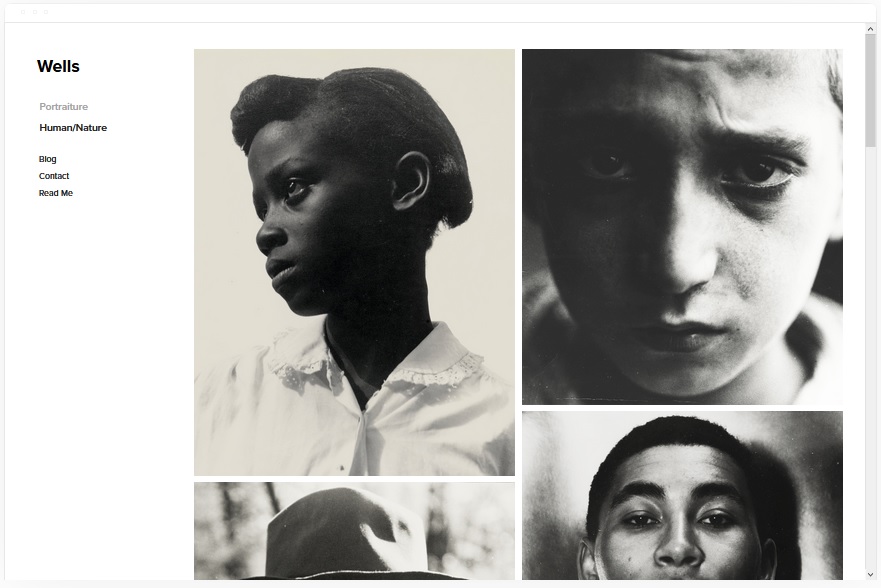
Wells
Best for Visual Storytellers and Travel Bloggers ✓ Pros
- Built for visual and graphical work, with layouts that showcase photography and artwork in large, attention-grabbing formats that invite interaction and exploration.
- Video integration via URL makes embedding interactive video content straightforward - no file hosting headaches, just paste a link and your content plays within the page.
- eCommerce and appointment/ticket booking functionality means travel and food bloggers can monetize directly through the interactive website rather than sending visitors elsewhere.
- Social media integration keeps your interactive presence cohesive across platforms, encouraging cross-channel engagement from every page.
- Particularly strong for travel and food bloggers who need a template that makes visual content the interactive centerpiece rather than an afterthought.
✗ Cons
- The visual-first approach means text-heavy content can feel secondary - bloggers who write long-form essays more than they shoot photos may find the balance skewed.
- Video via URL relies on third-party platforms like YouTube or Vimeo, so your interactive video experience depends on those services loading quickly and consistently.
- The broad feature set spanning eCommerce, appointments, tickets, and video means setup takes longer than more focused interactive templates.
Wells is the interactive Squarespace template that understands visual storytelling. If your content is built around stunning photography, embedded video, and the kind of vivid imagery that makes people stop scrolling, Wells gives that content the stage it deserves. For travel and food bloggers especially, the combination of visual layouts, eCommerce, appointment booking, and social media integration means your interactive website can serve as both a content hub and a revenue engine in one.
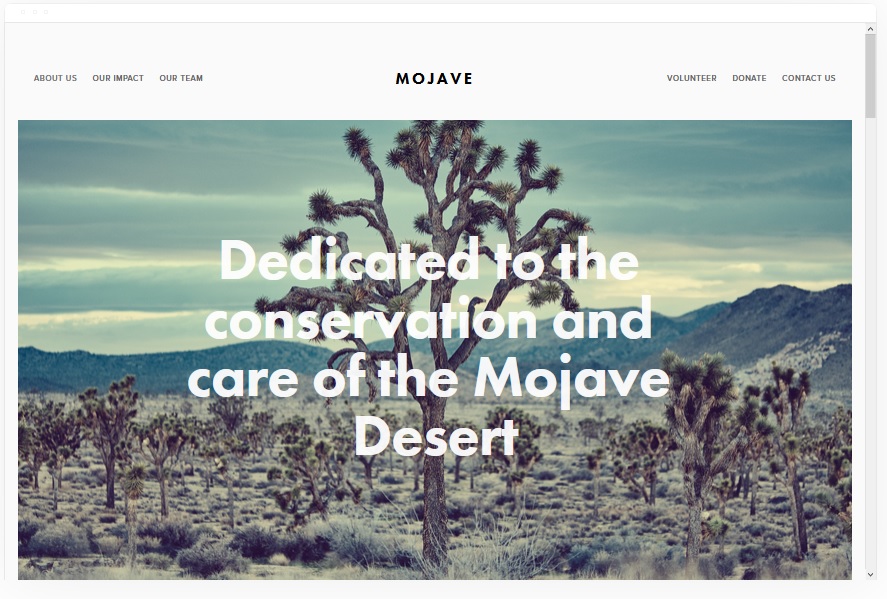
Mojave
Best for Bold Interactive Websites With Scrolling Effects ✓ Pros
- Striking scrolling effect creates a genuinely interactive browsing experience - content reveals itself as visitors scroll, keeping them engaged and curious about what comes next.
- Built-in CTA buttons and banner sections guide visitors toward conversions without breaking the interactive flow of the page.
- Social media share buttons are integrated throughout, making it easy for visitors to spread your content and extend your interactive reach across platforms.
- Clean white background is fully customizable, giving you a neutral canvas to build any visual identity while keeping the interactive scrolling effects as the star.
- The template's bold, striking appearance makes an immediate impression - visitors know within seconds that this is an interactive website that rewards their attention.
✗ Cons
- The scrolling effect is the template's defining interactive feature, which means it loses much of its personality if you disable or minimize that effect.
- The white background default, while customizable, can feel generic without deliberate color and imagery choices to differentiate your brand.
- Heavy reliance on visual impact means minimalist content or sparse pages will feel underwhelming rather than refined in this template.
Mojave is the interactive Squarespace template that makes scrolling feel like an event. The reveal effects, the bold banners, the strategically placed CTAs - everything about this template is designed to make visitors keep moving through your content instead of clicking away. If you want an interactive website that makes a strong first impression and sustains that energy all the way to the bottom of the page, Mojave delivers exactly that.
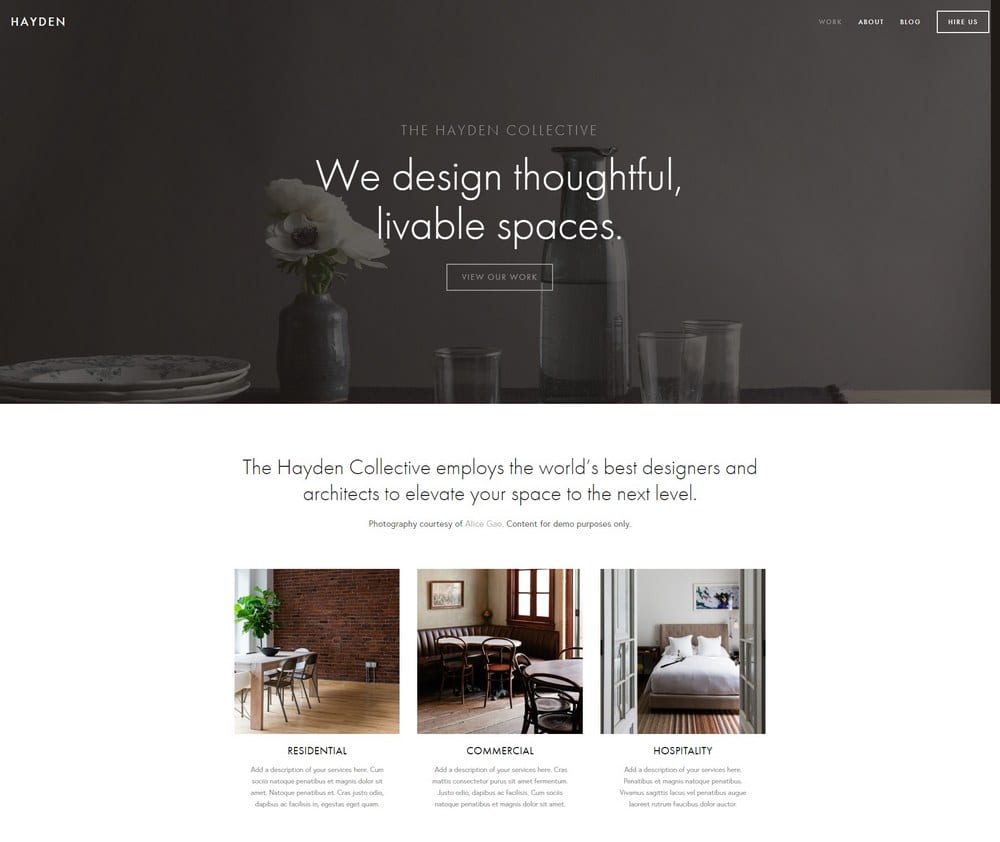
Hayden
Best for Corporate & Service Industry Interactive Websites ✓ Pros
- Sticky menu navigation keeps key pages accessible as visitors scroll, creating a seamless interactive experience where no one ever feels lost or has to scroll back to the top.
- Built-in blog section supports thought leadership and content marketing, adding an interactive content dimension to what might otherwise be a static corporate site.
- Appointment booking integration lets service businesses convert visitors directly from the interactive website - no external scheduling tools or extra steps required.
- Social media integration connects your interactive web presence to your broader digital ecosystem, keeping engagement flowing across all channels.
- Versatile enough to serve corporate firms, consultants, agencies, and solo service providers - the professional polish adapts to any service industry context.
✗ Cons
- The corporate-leaning aesthetic may feel too formal for creative professionals, artists, or lifestyle brands that need their interactive template to convey personality over professionalism.
- The sticky menu takes up screen real estate on smaller devices, which can reduce the immersive quality of the interactive experience on mobile.
- Blog and appointment features need to be actively used and maintained - an empty blog section or non-functional booking page undermines the professional credibility the template builds.
Hayden is the interactive Squarespace template that takes corporate websites out of the static age. The sticky navigation, integrated blog, appointment booking, and social media presence mean visitors actually engage with your site rather than scanning a page and leaving. For service businesses, consultants, and corporate brands, Hayden proves that professional does not have to mean boring. The interactive features are subtle enough to feel polished and functional enough to drive real business results.
Native
Best for Social-First Bloggers & Creative Storytellers ✓ Pros
- Deep social media integration means your interactive website and social channels feel like one connected experience - visitors move between your site and social profiles naturally.
- Rounded gallery images give the template a distinctive, approachable visual identity that stands out from the standard grid-based interactive Squarespace templates.
- Blog locations feature lets you tag posts by place, creating an interactive geographic layer that travel and food bloggers can use to build explorable content maps.
- Ideal for food, travel, and art bloggers who already have a strong social following and want their interactive website to extend and deepen that engagement.
- The friendly, organic visual style makes the browsing experience feel personal and inviting rather than corporate or transactional.
✗ Cons
- The social-first design philosophy means the template is less effective for brands that do not have an active social media presence to complement the interactive website.
- Rounded gallery images are a strong stylistic choice that may not suit every brand aesthetic - it is distinctive, but not universally versatile.
- Fewer built-in eCommerce features compared to templates like Bedford or Kent, making it less ideal for bloggers who want to sell products alongside interactive content.
Native is the interactive Squarespace template for bloggers who live on social media and want their website to feel like an extension of that world. The social integration, rounded gallery images, and blog location tagging create an interactive experience that rewards exploration and keeps visitors clicking through post after post. If your brand is built on Instagram, TikTok, or YouTube and you need an interactive website that matches that energy, Native bridges the gap between social presence and web presence beautifully.
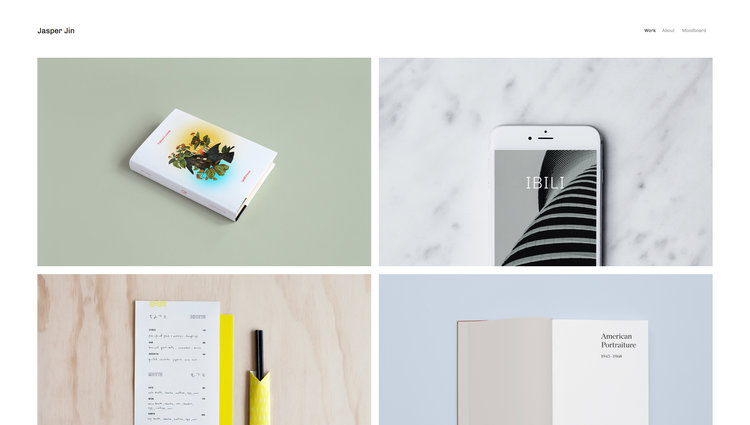
Jasper
Best for Simple Interactive Blogs With Visual Flair ✓ Pros
- Grid-based layout turns your blog into an interactive visual feed - visitors browse posts the way they browse a social media grid, which feels natural and encourages deeper exploration.
- Built-in animations add subtle interactive motion that makes the page feel alive without overwhelming the content or slowing down load times.
- Scaling fonts adapt to different screen sizes, ensuring the interactive experience feels polished and intentional on desktop, tablet, and mobile alike.
- Portfolio pages extend the interactive experience beyond blogging, letting you showcase creative work alongside your written content in a unified design.
- The simplest template in this list, which is a genuine advantage - fewer moving parts mean faster setup, easier maintenance, and a cleaner interactive experience overall.
✗ Cons
- The simplicity that makes Jasper approachable also limits its ceiling - brands that want complex interactive features like scrolling effects or deep media integration will outgrow it.
- The grid-based blog layout works best with consistent, high-quality featured images - inconsistent imagery makes the interactive grid look disjointed.
- Limited eCommerce features compared to more full-featured interactive Squarespace templates like Bedford or Kent.
Jasper is proof that interactive does not have to mean complicated. The grid layout, the subtle animations, the scaling fonts - every interactive element serves the content rather than competing with it. It is the most approachable interactive Squarespace template on this list, and for many bloggers, that simplicity is exactly what they need. If you want an interactive blog that looks polished and feels engaging without requiring hours of customization, Jasper gets you there faster than anything else.
Tremont
Best for Restaurants & Food Industry Interactive Websites ✓ Pros
- Large, appetite-driving images dominate the layout, creating an interactive visual experience that makes visitors hungry before they even read the menu - exactly what a food industry website needs.
- Static homepage design loads fast and delivers key information immediately, while interior pages provide the deeper interactive browsing experience for menus, events, and reservations.
- ChowNow integration lets restaurants accept online orders directly through the interactive website, turning visitors into customers without leaving the page.
- Squarespace Scheduling integration enables appointment and reservation booking as a native interactive feature, not a bolted-on afterthought.
- Fully mobile-responsive design ensures the interactive experience works perfectly on phones, where most restaurant searches happen.
✗ Cons
- The food industry focus means the template's interactive features and layout assumptions are less transferable to non-food businesses without significant customization.
- The static homepage, while fast, offers less interactive dynamism than templates with scrolling effects or animated sections.
- Large image requirements mean restaurants need professional food photography to make the interactive experience feel polished - phone snapshots will not cut it.
Tremont is the interactive Squarespace template that understands the food industry. The large images, the integrated ordering, the reservation scheduling - every feature is built around turning a hungry visitor into a paying customer as quickly and seamlessly as possible. If you run a restaurant, cafe, or food business, Tremont gives you an interactive website that does the one thing that matters most: fills seats and drives orders.
Avenue
Best for Minimalist Interactive Online Stores ✓ Pros
- Grid-based product layout creates an interactive shopping experience that feels organized and browsable - visitors can scan your catalog quickly and click into products that catch their eye.
- Minimalist design ensures fast page loads, which is critical for interactive eCommerce where every second of delay costs conversions.
- No technical skills required to set up a fully functional interactive online store - add products, configure payments, and launch within hours.
- Clean, distraction-free layout keeps the interactive focus on your products rather than on design elements that compete for attention.
- The fast-loading, grid-based structure scales well as your product catalog grows, maintaining a smooth interactive browsing experience at any size.
✗ Cons
- The minimalist aesthetic means Avenue relies almost entirely on your product photography - weak images will make the interactive store feel empty rather than elegant.
- Less visual personality than more opinionated interactive templates like Mojave or Kent - the clean grid works for any brand but excites for none out of the box.
- Limited blogging and content features compared to content-focused interactive Squarespace templates like Rally or Jasper.
Avenue is the interactive Squarespace template that strips eCommerce down to what actually drives sales: fast loads, clean product displays, and zero friction between browsing and buying. There is no visual clutter competing with your products and no unnecessary features slowing down the interactive shopping experience. If your primary goal is selling products online and you want an interactive store that is fast, clean, and easy to manage, Avenue does exactly that without asking you to become a web designer first.
Enhancing User Experience With Interactive Squarespace Templates
Tailoring to Interactive Needs
Every interactive website serves a different purpose, and the best interactive Squarespace templates reflect that diversity. A photographer needs immersive galleries with smooth transitions. A restaurant needs fast-loading menus with integrated reservations. A blogger needs scroll-driven content with embedded multimedia. Before choosing a template, define the specific interactive behaviors your visitors need most - browsing products, watching videos, booking appointments, or exploring a portfolio - and select the template whose interactive architecture is built around those exact actions.
Streamlining Navigation
Navigation is the backbone of any interactive website. The templates in this list approach it differently: Bedford uses a sidebar menu that stays visible during scrolling, Hayden employs a sticky top menu, and Kent uses cover pages as interactive navigation hubs. The right choice depends on your content structure. Sites with many pages benefit from persistent navigation like Bedford's sidebar or Hayden's sticky menu. Sites built around a single immersive experience work better with minimal navigation that lets the interactive scrolling do the guiding. Whichever you choose, the goal is the same - visitors should always know where they are and where they can go next.
Showcasing Visual Stories
The strongest interactive Squarespace templates are the ones that turn your visual content into a narrative. Kent's album pages, Wells' embedded video, Rally's smooth scrolling, and Native's location-tagged blog posts all create pathways for visitors to experience your content as a story rather than a static collection. Use this to your advantage by organizing your visual content chronologically, geographically, or thematically - and let the template's interactive features guide visitors through the journey you have designed. See our guide on Squarespace templates design and layout for more on structuring visual content effectively.
Maximizing Engagement With Interactive Website Templates
Encouraging Longer Visits
The average website visit lasts under a minute. Interactive Squarespace templates fight that by giving visitors reasons to keep going - scrolling effects in Mojave that reveal content progressively, grid-based browsing in Jasper and Avenue that encourages exploration, and multimedia integration in Rally and Wells that offers multiple content formats on every page. The key to longer visits is not more content - it is more interactive ways to consume the content you already have. Structure your pages so every scroll reveals something worth stopping for.
Customization for Personalized Experiences
Every interactive Squarespace template on this list is customizable through the Squarespace editor, meaning you can adjust colors, fonts, layouts, and content blocks to match your brand. The templates that reward customization the most are Bedford and Kent, whose versatile structures adapt to virtually any vision. But even simpler interactive templates like Jasper and Avenue become dramatically more engaging with thoughtful color choices, curated imagery, and a consistent brand voice woven through every page. Personalization is what transforms a template into a brand experience.
User-Friendly Interactive Journey
The best interactive websites are the ones where visitors never have to think about how to use them. Every template on this list achieves that differently - Tremont puts the order and reservation buttons exactly where a hungry visitor expects them, Hayden's sticky menu eliminates the need to scroll back up, and Avenue's clean grid makes product browsing intuitive. When building your interactive Squarespace website, test every page from your visitor's perspective. If any interactive element requires explanation, simplify it. The goal is an interactive experience so natural that it feels invisible.
Frequently Asked Questions
What are the best interactive Squarespace templates?
Are interactive Squarespace templates free?
Can I build an interactive website on Squarespace without coding?
Which interactive Squarespace template is best for a blog?
What makes a Squarespace template interactive?
Can I sell products with an interactive Squarespace template?
Which interactive Squarespace template loads the fastest?
How do I choose the right interactive Squarespace template for my website?
How We Evaluate Templates
Conclusion: Build an Interactive Website That Keeps Visitors Engaged
The best interactive Squarespace templates do not just display your content - they make people want to experience it. Kent builds immersive portfolios with cover pages and album pages. Bedford adapts to any niche with its versatile sidebar navigation and media-rich pages. Rally turns blogging into a smooth, multimedia journey. Wells gives visual storytellers the video and image tools they need. Mojave makes scrolling an event. Hayden brings corporate websites to life with sticky navigation and appointment booking. Native connects your interactive website to your social presence. Jasper keeps it simple with an animated blog grid. Tremont fills restaurant seats with integrated ordering and reservations. Avenue creates fast, clean interactive shopping experiences.
Choose the interactive Squarespace template that matches how your audience wants to engage - then build an experience worth staying for.
* Read the rest of the post and open up an offer