

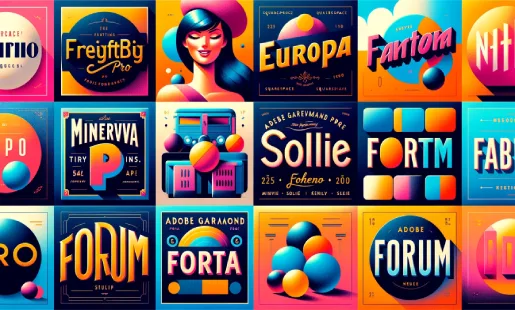
Best Sans-Serif Fonts on Squarespace
For Headings
Montserrat: Geometric, modern, and highly versatile. Works for professional services, creative agencies, and tech companies. Its bold weight creates strong visual impact in headings while remaining clean and readable.
Raleway: Elegant and thin with distinctive character. Works well for fashion, lifestyle, and luxury brands. Its lighter weights create a sophisticated, airy feel. Best used at larger sizes where the thin strokes remain visible.
Poppins: Friendly, rounded geometric sans-serif. Works for startups, wellness brands, and modern businesses that want to feel approachable without being informal. Great balance between personality and professionalism.
For Body Text
Source Sans Pro: Designed specifically for screen readability. Clean, neutral, and comfortable to read in long paragraphs. Works with virtually any heading font because of its neutral character.
Lato: Warm and friendly while remaining professional. Slightly more personality than Source Sans Pro. Works well for brands that want readability with a touch of approachability.
Inter: Modern, optimized for screen display with excellent readability at all sizes. One of the most versatile body fonts available. Works with any heading font style.
Best Serif Fonts on Squarespace
For Headings
Playfair Display: High-contrast, dramatic serif. Perfect for luxury brands, editorial content, and elegant businesses. Creates immediate visual impact in headings with its bold strokes and distinctive character.
Cormorant Garamond: Classic, refined, and timeless. Works for law firms, financial services, and established brands that want to communicate tradition and authority. Elegant at large sizes.
Lora: Contemporary serif with subtle brush-style strokes. Balances tradition with modernity. Works for brands that want serif elegance without feeling outdated.
For Body Text
Merriweather: Designed for screen readability as a body serif. Slightly condensed with generous x-height. One of the best serif body fonts for extended reading on screens.
Libre Baskerville: Classic book typography adapted for web. Excellent readability in paragraphs. Works well when you want a traditional, literary feel for your body content.
Best Font Pairings for Squarespace
Modern and Clean
Montserrat (headings) + Source Sans Pro (body): The most versatile pairing on Squarespace. Professional, clean, and works for virtually any business type. Montserrat provides structure and impact. Source Sans Pro provides comfortable readability.
Elegant and Sophisticated
Playfair Display (headings) + Lato (body): High-contrast serif headings with warm sans-serif body text. Perfect for luxury brands, boutiques, restaurants, and creative professionals. The contrast between serif headings and sans-serif body creates visual interest.
Friendly and Approachable
Poppins (headings) + Inter (body): Rounded, geometric headings with clean, modern body text. Works for wellness brands, startups, coaches, and businesses that want to feel warm and accessible.
Editorial and Authoritative
Cormorant Garamond (headings) + Merriweather (body): Classic serif pairing for content-heavy sites. Creates a literary, authoritative feel. Perfect for law firms, publications, and thought leadership blogs.
Bold and Creative
Raleway (headings) + Source Sans Pro (body): Thin, elegant headings with clean body text. Works for photographers, designers, architects, and creative agencies that want sophistication with readability.
How to Configure Fonts on Squarespace
Using Site Styles
Go to Design > Site Styles. Find the Typography section. Set your heading font family, weight, and size for H1, H2, and H3. Set your body font family, weight, size, and line-height. Squarespace previews changes in real time so you can see the effect immediately.
Font Size Guidelines
H1: 36 to 48 pixels on desktop. The main page heading - should command attention.
H2: 28 to 36 pixels. Major section headings - clearly larger than body text.
H3: 22 to 28 pixels. Subsection headings - distinguishable from body text.
Body: 16 to 18 pixels. Never smaller than 16px - readability is non-negotiable.
Line-height: 1.6 to 1.8 for body text. Generous line spacing improves readability dramatically. For typography strategies, our Squarespace design tips guide covers visual hierarchy and font pairing principles.
Using Custom Fonts
If the built-in library does not include your brand font, load it through Code Injection (Google Fonts, Adobe Fonts) or @font-face rules in Custom CSS (self-hosted fonts). For custom font loading, our guide to adding custom fonts to Squarespace covers every method. For mobile font issues, our guide to custom fonts not working on mobile covers troubleshooting.
Font Best Practices for Squarespace
Use no more than two font families. One for headings, one for body. More creates visual clutter. A single font used at different weights can also work well for minimal designs.
Pair serif with sans-serif. The most reliable pairing approach is serif headings with sans-serif body (or vice versa). The contrast creates visual interest while maintaining readability. Pairing two serifs or two sans-serifs of similar style can look monotonous.
Test at actual content length. A font that looks great in a three-word heading may be uncomfortable to read across a full paragraph. Test your body font with actual paragraphs of content, not just placeholder text.
Check mobile rendering. Fonts render differently on iOS and Android. Thin font weights (300) may be barely visible on some mobile screens. Test your chosen fonts on actual phones. For mobile optimization, our guide to Squarespace mobile optimization covers font readability on small screens.
Consider loading performance. Each font weight is a separate file download. Limit to 2 to 3 weights per font family (regular, bold, and optionally italic). More weights mean slower page loading. For performance, our Squarespace page speed guide covers font optimization. For CSS configuration, our guide to adding custom CSS to Squarespace covers font-related CSS properties.
Fonts to Avoid on Squarespace
Comic Sans and Papyrus. Universally associated with unprofessional design. No business context justifies their use.
Overly decorative display fonts for body text. Script, handwritten, and display fonts work for headings but are unreadable in paragraphs. Reserve them for short headings and accents only.
Very thin weights for body text. Font weights below 400 (light, thin, hairline) are hard to read in paragraphs, especially on mobile and low-resolution screens. Use 400 (regular) or above for body text.
Fonts that are too similar. If your heading and body fonts look almost identical, the pairing adds no visual interest. Choose fonts with enough contrast that visitors can distinguish headings from body text at a glance. For SEO metadata that uses your chosen fonts effectively, our Squarespace SEO guide covers content presentation and user experience.
Frequently Asked Questions
What are the best fonts for Squarespace?
How many fonts should I use on Squarespace?
How do I change fonts on Squarespace?
What font size should I use for body text on Squarespace?
How do I pair fonts on Squarespace?
Can I add Google Fonts to Squarespace?
Do fonts affect Squarespace page speed?
Choose Fonts That Speak for Your Brand
Your Squarespace fonts communicate personality, professionalism, and brand identity before visitors read a single word. The right pairing - a heading font with character and a body font built for readability - transforms any template into a site that feels intentionally designed.
Pick your pairing, configure sizes and line-height, test on mobile, and limit to two families. Typography is one of the smallest changes with one of the biggest impacts on how your site looks and feels. For a full breakdown of how many fonts Squarespace offers and how to add fonts that are not in the default library, see our guide on choosing fonts on Squarespace.
* Read the rest of the post and open up an offer