
.png)
Squarespace is SEO friendly out of the box, but not every template takes equal advantage of that foundation. The squarespace seo templates below were selected because they each handle the technical side of search engine optimization well, from Core Web Vitals performance to mobile-first design, while still giving you the content flexibility to execute a real SEO strategy.
Here is what matters most when choosing an SEO-optimized Squarespace template: page load speed (under 2.5s for good LCP), a mobile layout that does not shift on load (CLS under 0.1), clean JavaScript rendering that does not block Googlebot from reading your content, and a heading structure that supports logical content hierarchy from H1 down through H3.
The templates in this guide were shortlisted against those criteria, then reviewed for practical usability across blog, ecommerce, and service-business use cases.
Editor's Picks
| # | Name | Best For | Price | Rating | Image | |
|---|---|---|---|---|---|---|
| 1 | Bloggers, eCommerce stores, and SEO beginners | Free | 4.3/5 |
|
More Info | |
| 2 | Local businesses, bloggers, and social media-driven brands | Free | 4.3/5 |
.png)
|
More Info | |
| 3 | Corporate brands, service businesses, and lead generation | Free | 4.5/5 |
|
More Info | |
| 4 | Travel bloggers, food bloggers, and content-first SEO strategies | Free | 4.5/5 |
|
More Info | |
| 5 | Online stores, digital product sellers, and minimalist brands | Free | 4.3/5 |
.jpg)
|
More Info | |
| 6 | Photographers, designers, and creative professionals | Free | 4.2/5 |
|
More Info | |
| 7 | Freelancers, consultants, and small service businesses | Free | 4.1/5 |
|
More Info | |
| 8 | Product sellers, digital creators, and affiliate marketers | Free | 4.4/5 |

|
More Info | |
| 9 | Startups, agencies, and conversion-focused brands | Free | 4.3/5 |
|
More Info | |
| 10 | Restaurants, food businesses, and local dining establishments | Free | 4.2/5 |

|
More Info |
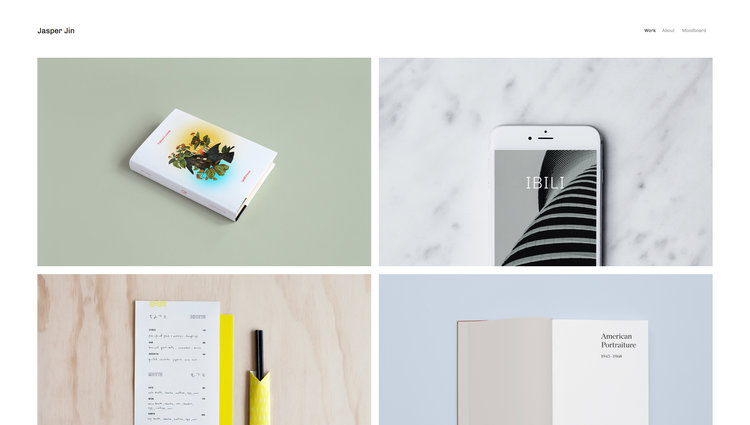
Jasper
Best Squarespace SEO Template for Beginners ✓ Pros
- Grid-based layout keeps content organized and easy for search engines to crawl, with clean HTML structure that supports proper heading hierarchy.
- Fast-loading by default thanks to minimal design overhead, fewer scripts and lighter assets mean better Core Web Vitals scores out of the box.
- Front page animations add visual appeal without sacrificing page speed, striking a balance between engagement and SEO performance.
- Scaling fonts ensure readability across all devices, supporting the mobile-first indexing that Google uses to rank your site.
- Built-in blogging and eCommerce support lets you publish content and sell products from the same optimized template without switching layouts.
✗ Cons
- The simplicity that makes Jasper fast also limits advanced layout customization for brands that want more visual complexity.
- Project pages work well but do not offer as much flexibility as some templates for building deep content hubs or pillar page structures.
- Limited built-in design flair means you will need strong photography and copy to make pages visually compelling.
Jasper is the template you pick when you want to stop overthinking design and start ranking. Its grid-based layout is inherently SEO friendly because it keeps content structured, scannable, and fast. The front page animations add enough personality to keep visitors engaged, but they do not weigh the page down with heavy scripts. For anyone asking "is Squarespace good for SEO?", Jasper is the proof that it can be. Fast load times, clean mobile rendering, and a blogging system that supports real content marketing. If you are new to SEO for Squarespace sites, this is the simplest path to a well-optimized website.
Native
Best Squarespace Template for Local SEO Rankings ✓ Pros
- Blog system with location-based content support makes Native one of the strongest Squarespace SEO templates for local search engine optimization.
- Social media integration helps drive referral traffic and social signals, which indirectly support your search rankings over time.
- Fully mobile-ready design ensures your site passes Google's mobile-first indexing requirements without any manual adjustments.
- Rounded thumbnail design creates a distinctive visual identity that improves click-through rates when images appear in search results.
- Built-in eCommerce features let you sell products while maintaining the same SEO-optimized template structure across your entire site.
✗ Cons
- The blog-centric layout may feel limiting if your primary goal is product sales rather than content-driven SEO.
- Social media integration adds external script calls that can marginally slow page load times if not managed carefully.
- Location-based SEO features require manual content optimization, the template provides the structure, but you still need to write location-specific pages.
Native is the template built for businesses that need to rank locally. Its blog system supports location-based content naturally, which is exactly what Google looks for when serving local search results. If you run a service business, a restaurant, or any brand tied to a specific area, Native gives you the Squarespace search engine optimization foundation to dominate local queries. The social media integration is not just a nice visual touch, it creates additional pathways for discovery that feed back into your overall SEO strategy. Combined with mobile-ready design, Native is one of the best Squarespace templates for businesses serious about ranking in their market.
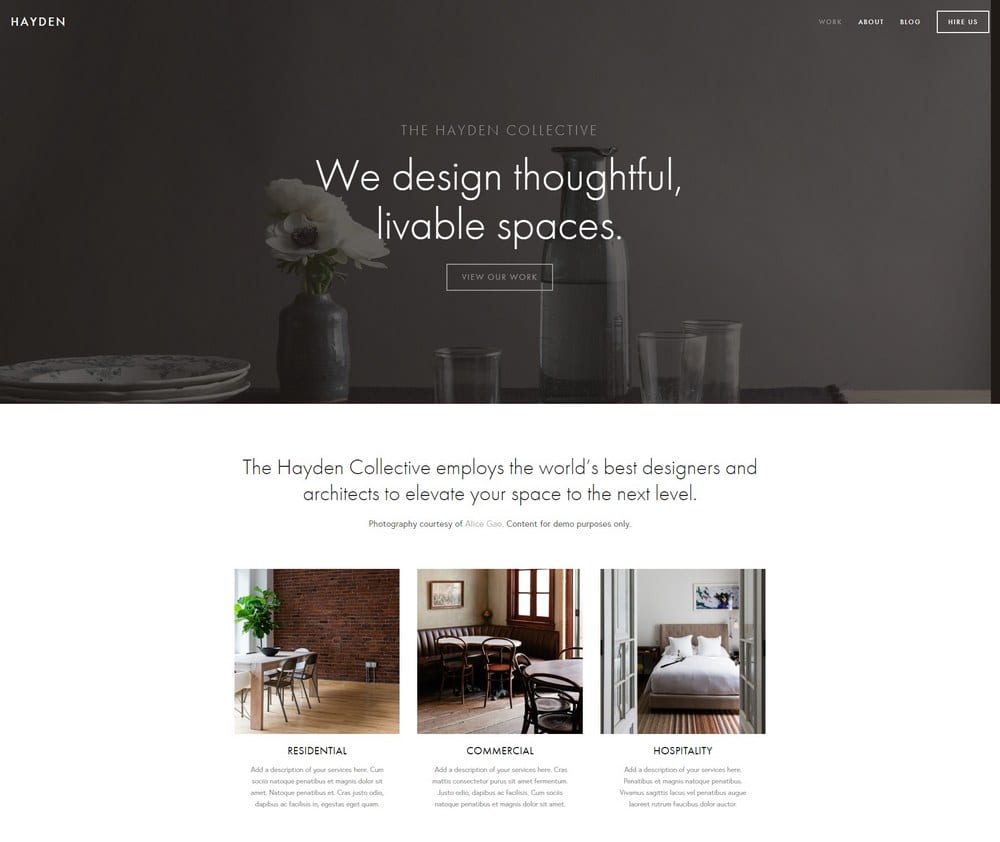
Hayden
Best for Corporate and Service Brand SEO ✓ Pros
- Strikingly beautiful design paired with a professional layout that builds trust, a factor that directly influences bounce rate and dwell time, both SEO signals.
- Built-in blog system supports content marketing that can generate 70% more leads while building the topical authority search engines reward.
- Portfolio section lets you showcase case studies and projects with proper heading structures that search engines can index and rank individually.
- Ticket booking and event features add structured content opportunities that can earn rich snippets in search results.
- Sticky top-right menu with social media links keeps navigation accessible on long pages without disrupting the content flow that keeps visitors engaged.
✗ Cons
- The corporate aesthetic may feel too formal for creative brands, bloggers, or casual eCommerce stores.
- Heavier design elements compared to minimal templates mean you need to optimize images carefully to maintain strong Core Web Vitals scores.
- The sticky menu adds a small amount of JavaScript overhead that can affect First Input Delay on slower connections.
Hayden is where SEO meets professional credibility. The template looks impressive enough to keep visitors browsing, which matters because dwell time and low bounce rates signal to Google that your content is worth ranking. The built-in blog is not an afterthought here; it is a genuine content marketing tool that supports the kind of consistent publishing that builds domain authority. For service businesses and corporate brands wondering whether Squarespace is SEO friendly enough for serious competition, Hayden is the answer. Portfolio pages, event features, and a blog that supports deep content, it covers every angle of a modern SEO strategy.
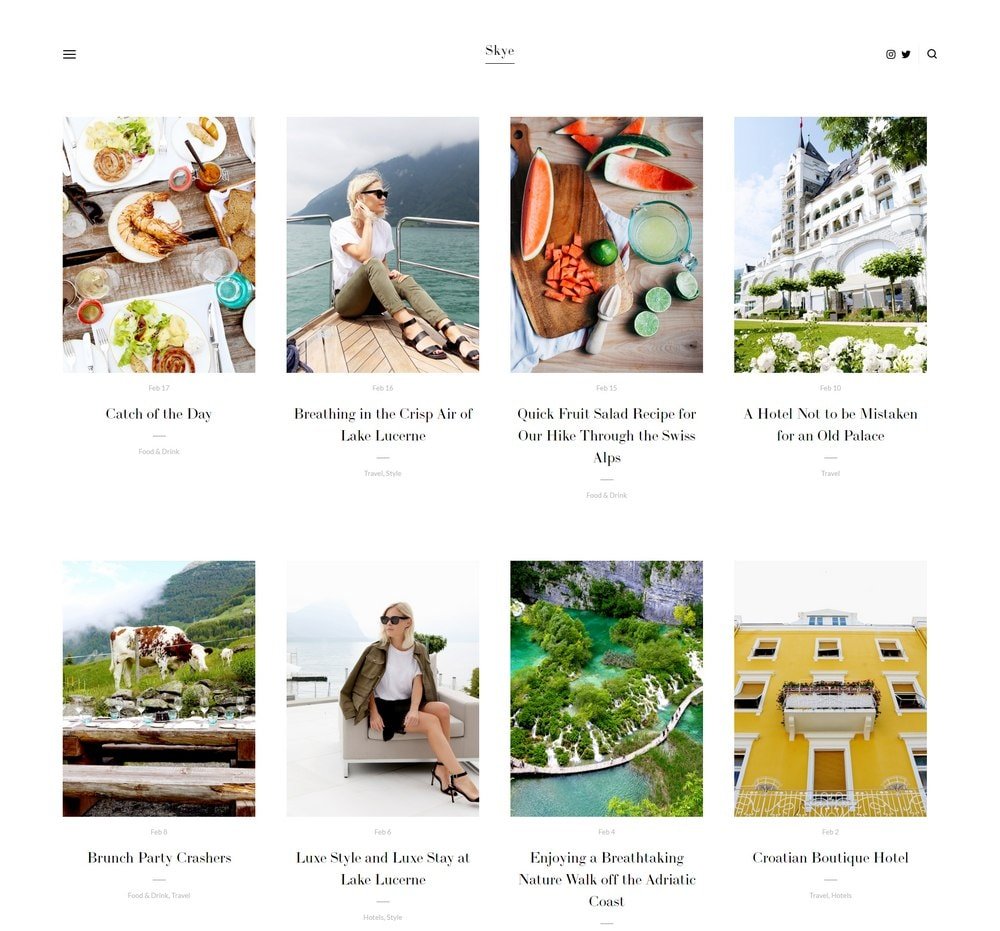
Skye
Best Squarespace Blogging Template for SEO ✓ Pros
- Purpose-built for blogging with a grid-based post layout that makes content easy to browse, which keeps visitors on your site longer and reduces bounce rates.
- Media support on all posts encourages rich content that earns more engagement, a signal that helps your pages rank higher over time.
- Minimalist design with low code overhead means faster page speeds, which directly impacts your Core Web Vitals scores and search rankings.
- Grid-based editing makes it easy for non-technical users to create well-structured pages without accidentally breaking heading hierarchy or layout.
- Clean, distraction-free reading experience increases average time on page, one of the behavioral signals Google uses to evaluate content quality.
✗ Cons
- The blog-first design is not ideal for eCommerce-heavy sites that need product grids and shopping features front and center.
- Minimalist aesthetic means less visual impact on first impression, you rely on content quality rather than design to hook visitors.
- Limited customization options for non-blog pages can feel restrictive if you need landing pages or complex service descriptions.
Skye is the best Squarespace template for SEO if your strategy is built on content. Travel bloggers, food bloggers, and anyone publishing regularly will appreciate how naturally Skye supports the kind of deep, media-rich posts that Google rewards with higher rankings. The minimalist approach is not just an aesthetic choice, it is an SEO advantage. Fewer design elements mean less code, faster load times, and cleaner rendering on mobile devices. For bloggers serious about search engine optimization, Skye removes the technical friction and lets your content do the ranking work.
Avenue
Best Minimalist SEO Template for eCommerce ✓ Pros
- Minimalist design translates to fast loading on any device, desktop, tablet, or mobile, which is one of the most impactful SEO factors for eCommerce sites.
- Grid-based product layout creates clean, crawlable page structures that search engines can index efficiently.
- Squarespace Payments integration lets you sell without third-party checkout redirects, keeping users on your domain and preserving session metrics that influence rankings.
- Media support on all pages means you can add optimized product images, videos, and descriptions that rank in Google Images and video search.
- Works equally well for physical products and digital downloads, so your SEO-optimized template scales with your business model.
✗ Cons
- The stripped-back design may not create enough visual excitement for fashion, lifestyle, or luxury brands that compete on aesthetics.
- Limited built-in upselling or cross-selling features compared to more commerce-focused templates.
- Blog functionality exists but takes a back seat to the product layout, you will need to deliberately build out your content marketing section.
Avenue proves that less is more when it comes to SEO for Squarespace sites. The minimalist design is not just visually clean, it is technically clean. Fewer elements mean faster rendering, lower CLS scores, and a mobile experience that Google's crawlers can process without issues. For eCommerce businesses, Avenue's Squarespace Payments integration is a significant SEO advantage. Keeping the entire purchase flow on your domain means no redirect chains, no lost referral data, and no third-party scripts slowing down your checkout pages. If you sell products and want your store pages to rank, Avenue is the Squarespace SEO template to start with.
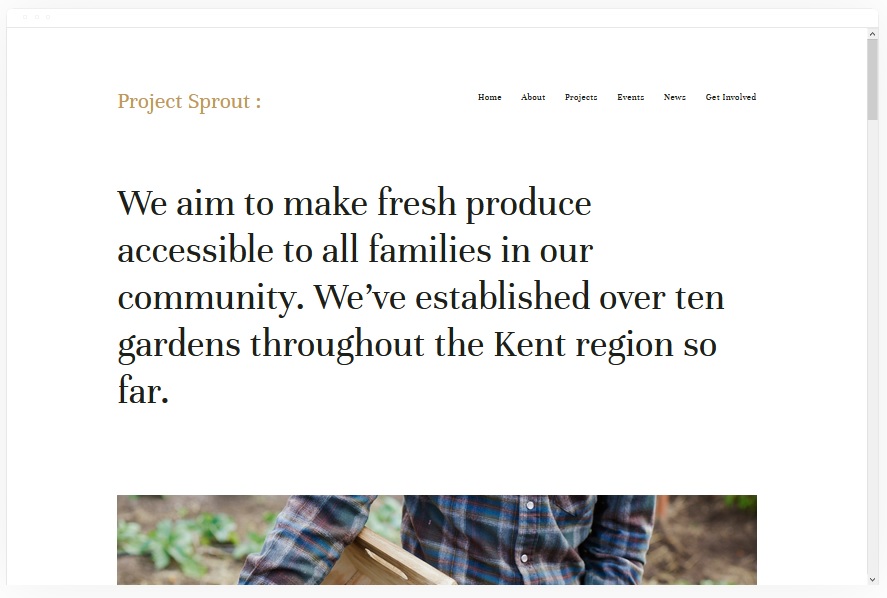
Kent
Best Portfolio SEO Template for Creatives ✓ Pros
- Portfolio pages support all media types, images, video, audio, giving you multiple content formats that can rank across different Google search verticals.
- Cover pages, blog pages, event pages, and album pages create a diverse site structure with many indexable URLs, which builds domain authority.
- Attractive, clean design keeps visitors browsing longer, which improves dwell time signals that correlate with higher search rankings.
- eCommerce integration lets photographers and designers sell prints or services directly, adding commercial intent pages to your SEO portfolio.
- Event and album page types provide natural opportunities for structured data markup that can earn rich snippets in search results.
✗ Cons
- Image-heavy portfolio pages can slow load times if you do not compress and optimize every file before uploading.
- The creative-focused layout may not suit text-heavy businesses that need long-form content pages for SEO.
- Multiple page types add complexity, you need a clear site structure plan to avoid thin content pages that dilute your SEO efforts.
Kent turns your creative portfolio into an SEO asset. Most portfolio templates sacrifice search performance for visual impact, but Kent manages both. The variety of page types, cover, blog, event, album, means you naturally build a diverse, content-rich site that Google sees as authoritative. The key SEO advantage here is indexable diversity. Each portfolio piece, blog post, and event page is a separate URL that can rank for different keywords. For photographers, designers, and creatives who want their work discovered through search, Kent provides the Squarespace SEO template structure that makes it possible.
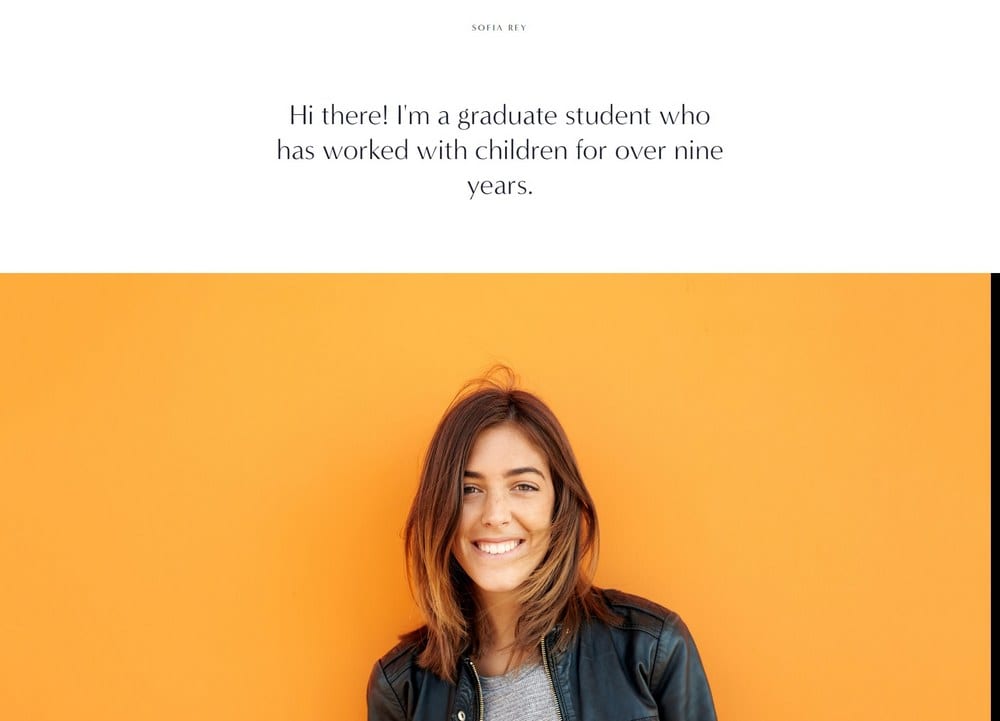
Sofia Rey
Best for Freelancer and Service Provider SEO ✓ Pros
- Resume section with experience, talents, qualifications, and awards creates naturally keyword-rich content that ranks for professional and service-related queries.
- Vibrant, modern design stands out in search results when paired with compelling meta descriptions, improving click-through rates from SERPs.
- Skills, services, reviews, and contact sections provide multiple content blocks that can be individually optimized for different target keywords.
- Top-left menu navigation keeps the site structure simple and crawlable, which helps search engines index all your pages efficiently.
- Social media links in the top-right corner drive cross-platform visibility that supports your overall online presence and brand authority.
✗ Cons
- The single-page-style layout can concentrate too much content on one URL, limiting the number of individual pages available for keyword targeting.
- Vibrant design elements add slightly more CSS weight than ultra-minimalist templates, which can affect page speed scores.
- Better suited to individual professionals than to teams or agencies that need multi-page service breakdowns.
Sofia Rey is built for the freelancer or service provider who wants to rank for their name and their expertise. The resume section is an SEO goldmine, qualifications, experience, awards, and skills naturally produce the kind of keyword-rich content that helps you show up when someone searches for what you do. The vibrant design is also strategically valuable. In search results, sites that look professional and modern earn higher click-through rates, which feeds back into better rankings. Sofia Rey makes your Squarespace site look like you invested in a custom build, which builds the kind of trust that keeps visitors on the page.
Almar
Best All-Around SEO Template for Online Selling ✓ Pros
- Easy customization means you can quickly build optimized landing pages, product pages, and blog posts without technical barriers slowing down your SEO workflow.
- Supports selling products, services, digital downloads, and event tickets, each product type creates indexable pages that expand your search footprint.
- Blogging and affiliate marketing support lets you build content-driven SEO strategies that funnel organic traffic to your sales pages.
- Works well for both large and small product catalogs, so your site structure stays clean and crawlable as you scale.
- Strong CTA placement throughout the purchasing journey keeps conversion rates high, which means the traffic you earn from SEO actually turns into revenue.
✗ Cons
- The jack-of-all-trades flexibility means Almar does not excel in any single visual style, you need to customize deliberately to stand out.
- Fast-loading by default, but adding multiple product images and scripts for tracking can erode speed if not managed.
- CTA-heavy layout may feel pushy for brands that prefer a softer, content-first approach to earning trust before selling.
Almar is the Squarespace SEO template for people who want to rank and sell. Its flexibility across product types, physical, digital, services, tickets, means every new offering becomes another indexed page, another keyword target, and another entry point from search. The blogging and affiliate features are not afterthoughts; they are the content engine that drives organic traffic to your store. What makes Almar particularly effective for SEO is its fast default load time combined with a clean site structure that scales. You can start with a handful of products and grow to a full catalog without the template becoming slow or cluttered. For Squarespace search engine optimization at the intersection of content and commerce, Almar delivers.
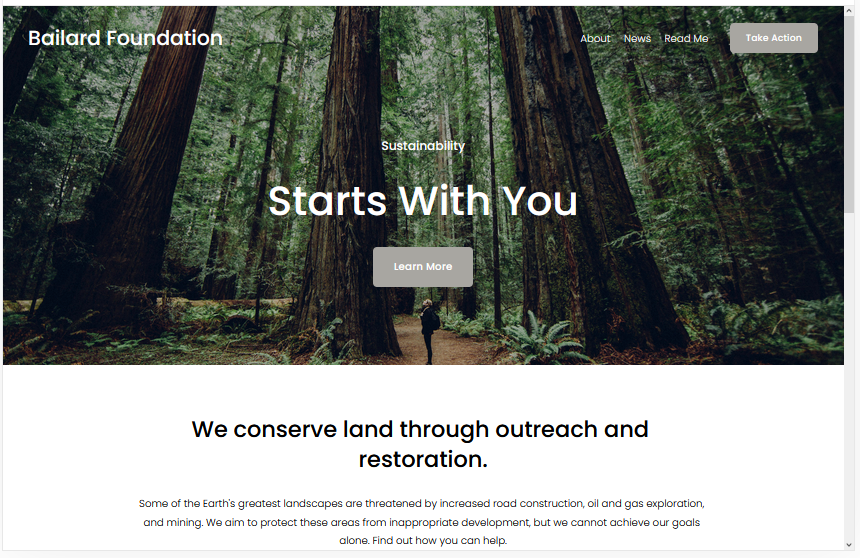
Bailard
Best for Bold Brand SEO and Conversions ✓ Pros
- Two prominent CTAs, hero center and top-right menu, maximize conversion rates from organic search traffic, turning rankings into revenue.
- Lazy loading is built in, which keeps initial page load times fast and directly improves Core Web Vitals scores without any manual setup.
- Bold, attention-grabbing design reduces bounce rate by making an immediate visual impression that keeps visitors engaged.
- Popular template with proven performance, widely used sites generate more community support, tutorials, and optimization resources.
- The 7% revenue increase per second of improved load time principle is baked into Bailard's architecture through efficient asset delivery.
✗ Cons
- The bold visual style may not suit every niche, softer brands or professional services might find the design too aggressive.
- Dual CTA placement needs careful copywriting to avoid confusing visitors about what action to take first.
- The distinctive design is widely used, so your site may look similar to others without significant customization.
Bailard understands that SEO is only half the equation, the other half is converting the traffic you earn. The dual CTA strategy is deliberate: one in the hero section for visitors ready to act immediately, and one in the persistent top-right menu for those who need to browse first. This approach captures conversions at both ends of the visitor journey. The lazy loading implementation is the real SEO star here. Pages load fast on first visit because images below the fold only render when needed. This keeps your Largest Contentful Paint scores low and your Core Web Vitals in the green, exactly what Google wants to see when deciding which Squarespace sites deserve top rankings.
Tremont
Best SEO Template for Food and Restaurant Sites ✓ Pros
- ChowNow integration adds online ordering functionality that creates additional indexed content and keeps visitors on your domain through the entire ordering flow.
- Squarespace Scheduling integration makes reservation booking seamless, adding structured appointment data that can appear in search results.
- Static homepage design loads fast because there are no complex animations or carousels slowing down the initial render.
- Fully mobile-ready design is critical for restaurant SEO since the majority of "restaurants near me" searches happen on mobile devices.
- Fast load times combined with clean page structure give Tremont strong Core Web Vitals performance for food industry sites.
✗ Cons
- The food-industry-specific design elements may feel out of place if repurposed for non-food businesses.
- Static homepage design limits dynamic content options like featured blog posts or rotating seasonal menus.
- ChowNow integration adds third-party scripts that need monitoring to ensure they do not degrade page speed over time.
Tremont is the Squarespace SEO template built specifically for food businesses that need to rank locally. Restaurant SEO has unique requirements, "near me" searches, menu content, reservation availability, and mobile performance, and Tremont handles all of them. The static homepage is an intentional SEO choice. No carousels, no auto-playing videos, no complex animations, just fast-loading content that Google can crawl and index immediately. Combined with Squarespace Scheduling for reservations and ChowNow for ordering, Tremont gives food businesses the functionality they need without sacrificing the page speed that drives rankings.
Enhancing Your SEO Template for Maximum Performance
Optimal SEO Features to Look For
When evaluating Squarespace SEO templates, prioritize these technical features: fast default page speed (aim for under 3 seconds on mobile), clean heading hierarchy (one H1 per page, logical H2/H3 structure), responsive image handling with lazy loading, and minimal JavaScript that does not block content rendering. Templates that check these boxes give you a structural advantage before you write a single word of content.
On-Page SEO Strategies
Your template provides the foundation, but on-page optimization brings it to life. Write unique title tags and meta descriptions for every page, using your target keywords naturally. Structure your content with descriptive subheadings that include secondary keywords. Add alt text to every image, use internal links to connect related pages, and keep your URL slugs short and descriptive. For deeper guidance on optimizing your Squarespace template's design and layout for search, focus on user experience metrics alongside technical SEO.
Technical SEO Considerations
Beyond content, technical SEO determines whether search engines can effectively crawl and index your site. Submit your XML sitemap through Google Search Console, fix any broken links or redirect chains, ensure your SSL certificate is active (Squarespace includes this free), and monitor your Core Web Vitals regularly. Compress images before uploading, minimize custom code injections, and test your mobile rendering monthly to catch any layout issues before they hurt your rankings.
Leveraging Squarespace for Long-Term SEO Success
Built-in SEO Tools
Squarespace includes a solid set of built-in SEO tools: customizable page titles and meta descriptions, automatic XML sitemaps, clean URL structures, SSL certificates, and mobile-responsive designs across all templates. These features handle the technical baseline that many other platforms require plugins for. The platform also provides an SEO checklist in the dashboard that walks you through the essentials for each page.
Content Quality and Keyword Strategy
The best Squarespace SEO template in the world will not rank without quality content behind it. Focus on creating comprehensive, useful content that answers the questions your audience is actually searching for. Use keyword research to identify topics with realistic competition levels, then publish consistently to build topical authority. Aim for depth over volume, one thorough, well-structured post will outperform five thin pages every time.
Continuous SEO Improvement
SEO is not a set-it-and-forget-it project. Monitor your rankings through Google Search Console, track which pages drive the most organic traffic, and identify content that is losing position so you can refresh it. Update your existing posts with new information, add internal links as you publish new content, and keep your site speed optimized as you add pages and media. The templates on this list give you the technical foundation, your ongoing content and optimization work is what builds lasting rankings.
Frequently Asked Questions
What is the best Squarespace template for SEO in 2026?
Is Squarespace good for SEO?
What are the best Squarespace SEO templates for small businesses?
Do Squarespace templates affect SEO performance?
Is Squarespace SEO friendly compared to WordPress?
What SEO features does Squarespace include for free?
How We Evaluate Templates
Conclusion: Build on the Right SEO Foundation
Choosing the right Squarespace SEO template is the first step in a ranking strategy, not the last. These ten templates each bring different strengths, Jasper for simplicity and speed, Native for local SEO, Skye for content-driven rankings, Avenue for eCommerce optimization, and the rest covering everything from portfolios to restaurants. Pick the one that matches your business model, then invest in the content and ongoing optimization that turns a good template into top search results.
The best Squarespace template for SEO is ultimately the one you will actually use to publish quality content, build internal links, and improve over time. Start with the technical advantage these templates provide, and let your content do the rest of the ranking work.
* Read the rest of the post and open up an offer