

Editor's Picks
| # | Name | Best For | Price | Rating | Image | |
|---|---|---|---|---|---|---|
| 1 | Service businesses, eCommerce, and construction niches | Free | 4.3/5 |
|
More Info | |
| 2 | eCommerce stores and service businesses needing email list growth | Free | 4.2/5 |
|
More Info | |
| 3 | Any niche requiring a versatile, professional starting point | Free | 4.4/5 |

|
More Info | |
| 4 | Freelancers and consultants who want a focused one-page website | Free | 4.0/5 |

|
More Info | |
| 5 | eCommerce stores wanting a modern, product-first shopping experience | Free | 4.3/5 |
|
More Info | |
| 6 | Food businesses, restaurants, and service brands with rich visual content | Free | 4.2/5 |

|
More Info | |
| 7 | Hotels, salons, rentals, and service businesses with appointment booking needs | Free | 4.1/5 |
|
More Info | |
| 8 | eCommerce stores and blogs that need strong visual impact and portfolio support | Free | 4.4/5 |
|
More Info | |
| 9 | Bloggers and service brands in travel, food, fashion, and lifestyle niches | Free | 4.2/5 |
|
More Info | |
| 10 | eCommerce and portfolio-driven businesses needing multiple page types | Free | 4.3/5 |
|
More Info |
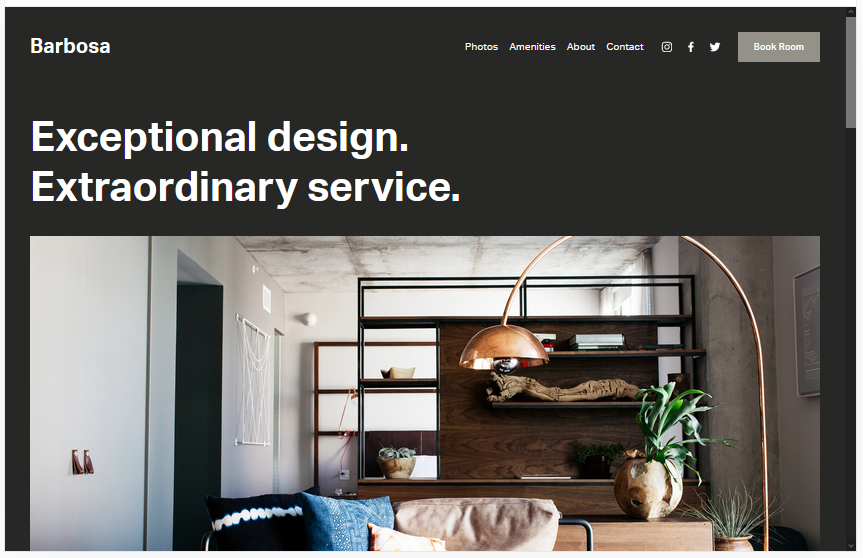
Barbosa
Best for Service Businesses & eCommerce ✓ Pros
- Works across a wide range of business niches without modification.
- Bookings page built in, great for service-based businesses.
- Generous space for images and video to showcase your brand.
- Background colour is easily customised in the editor.
✗ Cons
- Default gray background may feel too neutral for lifestyle brands.
- Inner page layouts are fairly fixed without custom code.
- Less distinctive visually compared to newer template designs.
Barbosa is a solid all-rounder that works especially well for service businesses and small eCommerce shops. Its minimalist aesthetic keeps the focus on your content, and the built-in bookings functionality saves you from needing third-party tools. It's a dependable choice if you want a Squarespace website template that gets out of the way and lets your work speak for itself.
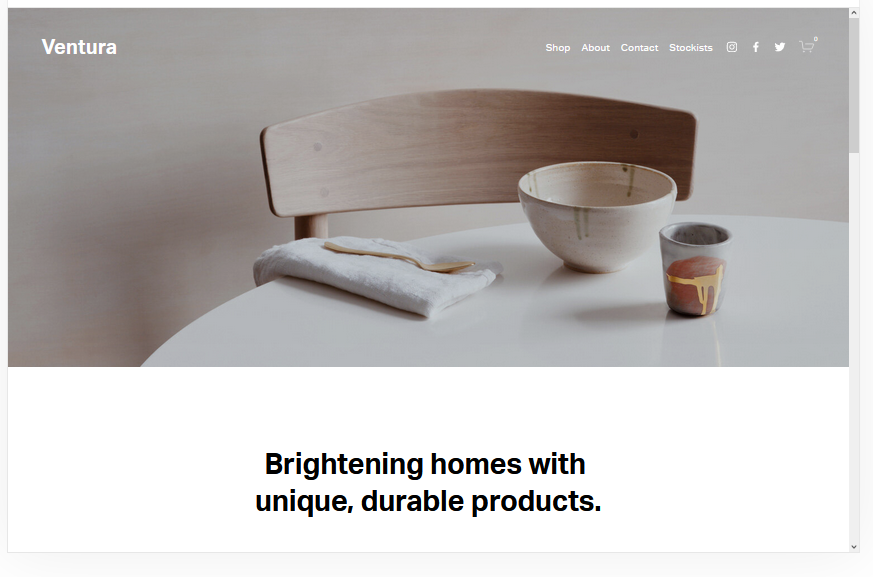
Ventura
Best for eCommerce & Email List Growth ✓ Pros
- Minimalist design loads quickly and retains visitors longer.
- Newsletter sign-up integration is built directly into the layout.
- Easily converts into a functional eCommerce store.
- Clean design makes it easy to adapt to multiple niches.
✗ Cons
- Fewer inner page options than some competing Squarespace templates.
- Simple layout may feel too plain for visually-driven brands.
- Limited animation or interactive design elements out of the box.
Ventura earns its place among the best Squarespace website templates thanks to its speed-first design and practical built-in features. The mailing list integration is a genuine asset for businesses focused on long-term audience building. It's a no-nonsense template that does what it promises without unnecessary complexity.
Harbor
Best for Versatile Professional Sites ✓ Pros
- Hero image layout makes an immediate strong first impression.
- Portfolio functionality built in for showcasing past work.
- Call-to-action buttons are easy to add and customise throughout.
- Fast load times across desktop and mobile devices.
✗ Cons
- Full-width hero requires high-quality photography to look its best.
- Menu structure can feel limited with very large navigation trees.
- Minimal built-in animation compared to more modern templates.
Harbor is one of the most versatile Squarespace website templates available, equally at home for agencies, photographers, or consultants. The full-width hero combined with a seamless portfolio section gives it a polished, professional feel. Its reliable performance across devices makes it a safe and effective choice for any business launching or refreshing a Squarespace site.
Wycoff
Best for Freelancers & One-Page Sites ✓ Pros
- One-page design keeps visitors focused and reduces bounce rate.
- Fast and lightweight, performs well across all devices.
- High-quality image areas help showcase work or past projects visually.
- Appointment CTA integrates easily with booking systems.
✗ Cons
- Not suitable for content-heavy sites that need multiple pages.
- Limited layout variety within a single-page scroll format.
- Can feel restrictive if your business grows and requires more structure.
Wycoff is a smart choice for freelancers or consultants who want a single, compelling web presence without the complexity of a full multi-page site. The one-page format keeps visitors focused and the CTA placement is well-considered. It's a Squarespace website template that works best when you have a clear, singular message to communicate.
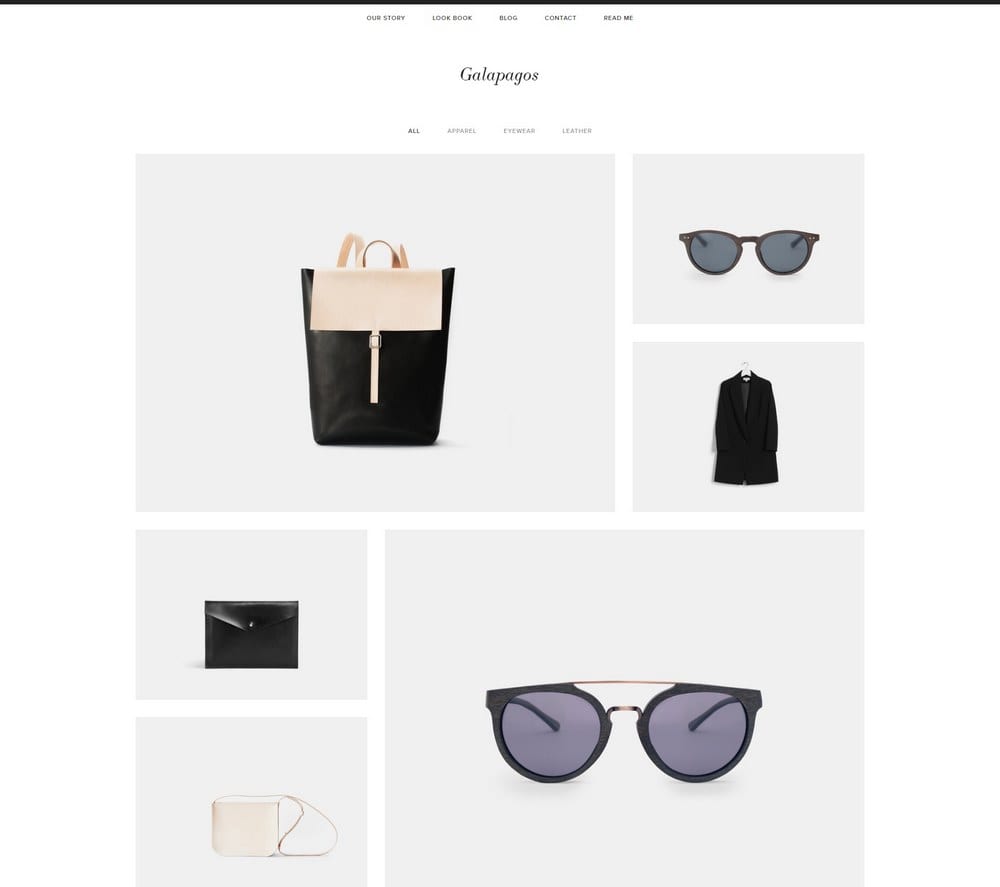
Galapagos
Best for eCommerce Stores ✓ Pros
- Quick-view popup reduces friction in the shopping experience.
- Minimalist design keeps focus on products without distractions.
- Native Squarespace Payments integration works out of the box.
- Fast and responsive across mobile and desktop devices.
✗ Cons
- Less suitable for non-eCommerce or service-based websites.
- Minimalist style may lack personality for lifestyle or fashion brands.
- Product page layout customisation options are somewhat limited.
Galapagos is one of the strongest eCommerce Squarespace website templates in the lineup. The quick-view popup feature alone sets it apart from most template options, improving the browsing experience without requiring any custom code. If you're launching an online shop on Squarespace, Galapagos is a reliable and polished foundation.
Tremont
Best for Food & Service Businesses ✓ Pros
- Large image areas add immediate visual professionalism to any site.
- ChowNow integration makes it a natural fit for restaurant websites.
- Multiple CTA placements throughout the template layout.
- Fully mobile-responsive and fast-loading on all devices.
✗ Cons
- Food and hospitality focus can make it feel less neutral for other niches.
- Static homepage layout offers limited flexibility without code edits.
- Third-party integrations require separate account setup and costs.
Tremont is a well-built Squarespace website template that genuinely excels in the food and hospitality space, though it performs well in other service niches too. The large image areas and CTA-focused layout are designed for conversion, and the third-party app integrations, including ChowNow and Squarespace Scheduling, are a meaningful differentiator. It's a template that rewards businesses with strong visual assets.
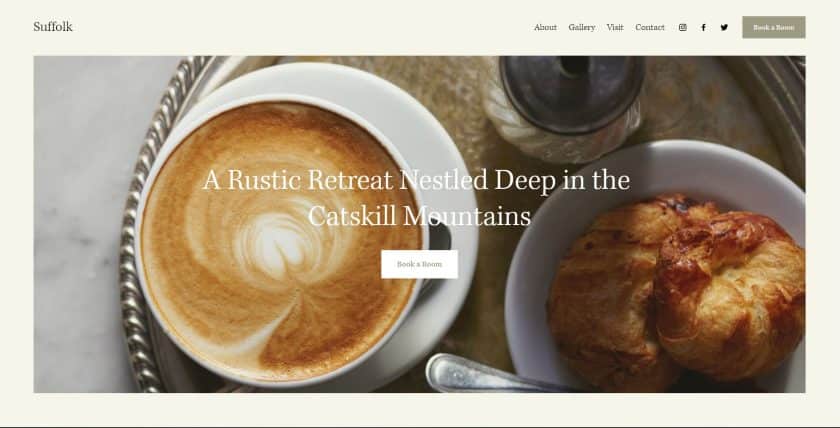
Suffolk
Best for Hotels, Salons & Appointment Booking ✓ Pros
- Traditional design builds immediate trust with new visitors.
- Sticky menu improves navigation and reduces drop-off on longer pages.
- Appointment booking is built in, ideal for service businesses.
- Easy to customise without needing advanced design skills.
✗ Cons
- Traditional style may feel dated compared to more modern Squarespace templates.
- Less suitable for creative or visual-first brands.
- Animation options in the menu are limited compared to premium themes.
Suffolk is a dependable Squarespace website template for service-oriented businesses that need to communicate trust and professionalism immediately. The familiar design pattern works in its favour, visitors know how to navigate it without thinking. The built-in booking functionality and sticky menu make it a particularly practical choice for hospitality and wellness businesses.
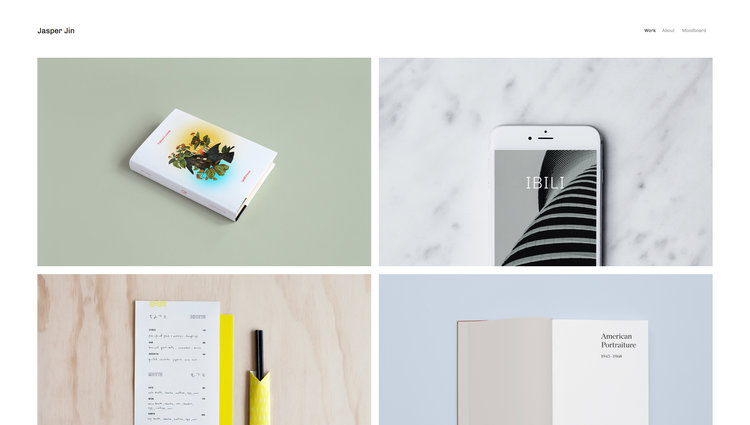
Jasper
Best for eCommerce, Blogs & Portfolios ✓ Pros
- Grid-based design makes customisation straightforward for beginners.
- Homepage animations engage visitors and improve time-on-page.
- Portfolio and blog both built in, good for content-driven businesses.
- Scaling font support improves accessibility across screen sizes.
✗ Cons
- Animations can feel distracting if overused across sections.
- Best with a strong content strategy, sparse sites won't fill it well.
- Grid layout requires consistent image dimensions for a polished result.
Jasper is a strong performer among Squarespace website templates for businesses that want visual engagement without sacrificing load speed. The grid layout makes it beginner-friendly while still allowing for a professional result, and the built-in blog and portfolio features mean you can grow the site over time. It's one of the better all-round options for combining eCommerce and content.
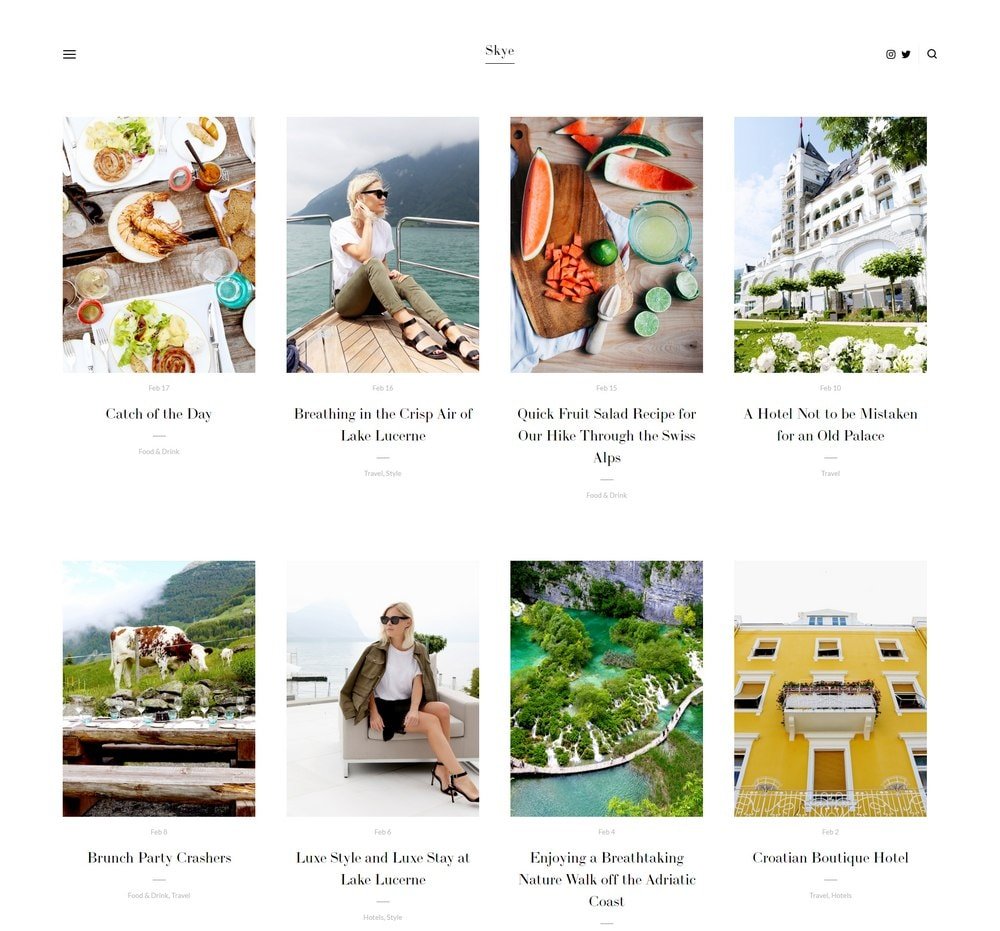
Skye
Best for Bloggers & Lifestyle Brands ✓ Pros
- Media-heavy grid design suits visual niches like travel and fashion.
- Minimalist aesthetic loads fast and supports Squarespace SEO performance.
- Blog functionality is strong and easy to populate with content.
- Grid editing is intuitive, ideal for new website owners.
✗ Cons
- Less suitable for eCommerce-first stores without heavy customisation.
- Minimalist design can feel lacking in character without strong photography.
- Blog-centric layout may not serve service-only businesses well.
Skye is one of the best Squarespace website templates for bloggers and media-forward brands. Its grid-based design handles images and video beautifully, and the minimalist approach ensures fast load times that help with both user experience and SEO. If your content strategy relies on regular publishing, Skye is built for that kind of ongoing growth.
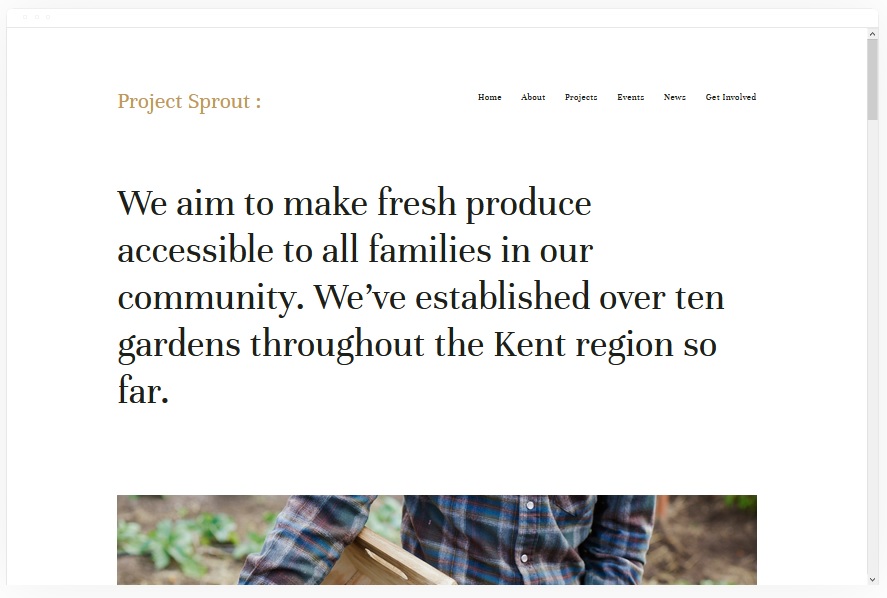
Kent
Best for eCommerce & Multi-Page Portfolios ✓ Pros
- Supports a wide variety of page types, cover, portfolio, blog, event, album.
- Full eCommerce functionality built in for direct online selling.
- Clean design is easy to align with almost any brand identity.
- Video and image media both supported well across all page types.
✗ Cons
- The breadth of features can feel overwhelming for simple one-focus sites.
- Requires more time to set up fully compared to simpler Squarespace templates.
- Base design is fairly generic without intentional brand customisation.
Kent is a well-rounded Squarespace website template that earns its spot through sheer versatility. The range of supported page types is among the widest in the Squarespace library, making it ideal for businesses that need room to grow. Its clean base design is easy to brand, and the eCommerce functionality is reliable from day one.
How to Choose the Best Squarespace Website Template
Match the Template to Your Website's Primary Goal
Before browsing Squarespace templates, be clear on what your site needs to achieve, selling products, generating leads, publishing content, or building a portfolio. Different templates are optimised for different goals, and choosing one that aligns with your primary objective saves significant time in customisation. An eCommerce-first template like Galapagos will serve an online shop far better than a blog-focused option like Skye, even if both look attractive at first glance. Define your goal first, then filter by that.
Prioritise Responsive Design and Page Speed
All Squarespace templates are technically mobile-responsive, but some perform better than others in practice. Templates with minimal animations and leaner layouts, like Ventura or Wycoff, tend to load faster, which directly impacts your Squarespace SEO performance and bounce rate. Check how each template renders on a mobile device before committing, and pay attention to how image-heavy the default layout is. Slower templates require more technical effort to optimise down the line.
Consider How Much Content You Have
Grid-heavy templates like Jasper and Skye look exceptional when well-stocked with content but sparse when they're just starting out. If you're launching with a lean site, choose a template designed for single pages or fewer sections, like Wycoff, until your content library grows. Conversely, if you have a large portfolio or product catalogue, a template with strong gallery and multi-page support like Kent will serve you far better. Match the template's structural expectations to the volume of content you can realistically provide at launch.
Check for Built-in Features Before Adding Third-Party Tools
Some Squarespace website templates include built-in functionality, such as booking systems, newsletter forms, and portfolio pages, that would otherwise require third-party integrations. Tremont's ChowNow compatibility and Suffolk's appointment booking are good examples. Identifying what's native to the template before you start building prevents you from adding redundant tools or paying for integrations that are already included. Review the design and layout of each template carefully alongside its feature list.
Preview Templates on Your Own Content
Every Squarespace template can be previewed with your own site URL using the WhatSquare.space template detector. Before committing to a template, look at live Squarespace websites in your niche using that same template to see how it handles real-world content. A template that looks polished in the official demo may look sparse with your actual products or portfolio, and the reverse is also true.
Frequently Asked Questions
What are the best Squarespace website templates for beginners?
Can I change my Squarespace template after my site is live?
Are Squarespace templates free or do they cost extra?
Which Squarespace template is best for eCommerce?
Do all Squarespace templates support SEO?
How do I know which Squarespace template a website is using?
How We Evaluate Templates
Conclusion
The 10 Squarespace website templates reviewed above cover a broad range of use cases, from eCommerce and portfolios to blogs and service businesses. Whether you're looking for a minimalist one-pager like Wycoff or a feature-rich all-rounder like Kent, there's a strong option for your specific goals. The key is matching the template's strengths to your site's primary purpose, rather than choosing purely on aesthetics.
If you want to explore how other businesses have implemented these best Squarespace templates, use WhatSquare.space to detect which Squarespace template any live site is running, it's a great way to find real-world inspiration before you start building your own.
* Read the rest of the post and open up an offer