

Your interior design website is your most important client acquisition tool - and for most prospective clients, it's the deciding factor before they ever reach out. Choosing the right Squarespace interior designer website template gives you the visual structure to present your portfolio with impact, communicate your design identity, and make it effortless for ideal clients to contact you. Whether you run a solo residential practice, a luxury studio, or a full-service design agency, the template you choose sets the tone for every client relationship that follows.
The best Squarespace interior design templates combine strong portfolio layouts, flexible customization, and a professional aesthetic that signals credibility from the first scroll. Every template on this list is included with any Squarespace subscription at no extra cost.
We evaluated 10 Squarespace templates for interior designers based on portfolio display quality, visual aesthetic alignment, ease of customization, and structural support for client enquiry conversion.
Editor's Picks
| # | Name | Best For | Price | Rating | Image | |
|---|---|---|---|---|---|---|
| 1 | Best for established interior design studios | Free | 4.8/5 |
|
More Info | |
| 2 | Best for residential interior designers and consultants | Free | 4.7/5 |
|
More Info | |
| 3 | Best for portfolio-led interior design firms | Free | 4.8/5 |

|
More Info | |
| 4 | Best for minimalist design studios and architects | Free | 4.6/5 |

|
More Info | |
| 5 | Best for interior designers with product and retail lines | Free | 4.7/5 |
|
More Info | |
| 6 | Best for editorial and magazine-style design studios | Free | 4.7/5 |
|
More Info | |
| 7 | Best for minimal, luxury interior design brands | Free | 4.8/5 |
|
More Info | |
| 8 | Best for design agencies and multi-service studios | Free | 4.5/5 |
|
More Info | |
| 9 | Best for visual portfolio-first design practices | Free | 4.7/5 |
.jpg)
|
More Info | |
| 10 | Best for full-service interior design and lifestyle brands | Free | 4.6/5 |
|
More Info |
Our Picks: The 10 Best Squarespace Templates for Interior Designers
Bailard
Best for established interior design studios ✓ Pros
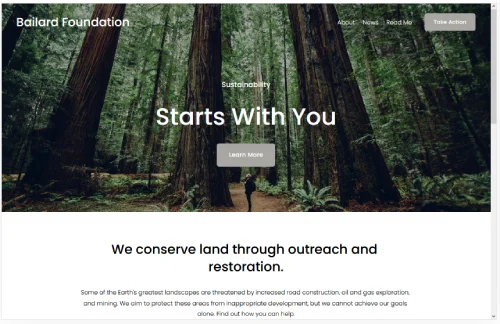
- Bold full-width image layouts showcase interior photography with real impact.
- Editorial structure suits studios with a refined, high-end portfolio.
- Flexible section design lets you build bespoke service and about pages.
- Clean navigation keeps focus on your work and contact paths.
✗ Cons
- Dense layouts require high-quality photography to land well.
- Less suited to designers just starting out with limited project work.
- Customizing the homepage structure takes time to get right.
Bailard is built for interior design studios that want their website to carry the same authority as their portfolio. The full-width image sections create an immediately striking first impression, and the editorial layout gives experienced designers the space to present their work with depth and context. It's a template that rewards designers who have strong photography and a confident brand identity. If your studio is established and your portfolio is ready, Bailard is one of the most powerful options on Squarespace.
Bedford
Best for residential interior designers and consultants ✓ Pros
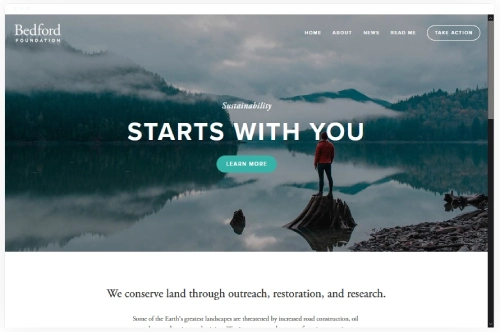
- Warm, approachable layout builds trust with residential and private clients.
- Clean service section makes it easy to outline your design process.
- Strong blog integration supports content marketing and SEO growth.
- Elegant typography creates a polished, professional first impression.
✗ Cons
- Portfolio display is less visually dramatic than more image-led templates.
- Not the strongest choice for luxury or ultra-minimalist design brands.
- Homepage structure can feel conservative for avant-garde design practices.
Bedford works particularly well for residential interior designers and independent consultants who want a website that feels personal, professional, and easy to navigate. The layout balances portfolio display with service information and contact options in a way that suits the relationship-driven nature of residential design work. It's not the boldest template on this list, but it's one of the most effective at converting visitors into consultation enquiries. Designers who work closely with homeowners and private clients will find Bedford a reliable foundation.
Carson
Best for portfolio-led interior design firms ✓ Pros
- Portfolio-first layout puts project photography front and center immediately.
- Clean grid structure organizes multiple projects without visual clutter.
- Minimal chrome keeps all attention on your interior design work.
- Strong case study structure supports detailed per-project presentations.
✗ Cons
- Minimal branding space makes it harder to build a strong personal identity.
- Services and about sections require more customization to stand out.
- Not ideal if you need prominent e-commerce or product display.
Carson is one of the strongest portfolio templates Squarespace offers, and it's especially well-suited to interior design firms where the work speaks for itself. The grid-based project layout is clean, scalable, and immediately professional - exactly what clients expect when they arrive to evaluate a firm's portfolio. Each project page supports full image galleries with supporting text, making it easy to present complete case studies. For firms where visual proof is the primary sales tool, Carson is a top-tier choice.
Wycoff
Best for minimalist design studios and architects ✓ Pros
- Strict minimalist layout perfectly suits clean, restrained design aesthetics.
- Generous white space gives photography and typography room to breathe.
- Precise grid structure projects technical authority for architecture-adjacent firms.
- Understated elegance suits luxury brands that avoid visual excess.
✗ Cons
- Very minimal layout may feel too sparse for designers with large portfolios.
- Limited visual variety across sections reduces homepage dynamism.
- Not suitable for designers with a warm, maximalist, or eclectic aesthetic.
Wycoff is built for designers who believe that less is more - and whose portfolio reflects that conviction. The restrained layout, careful use of white space, and precise typographic structure communicate a level of design discipline that is highly persuasive for minimalist studios and architecture-adjacent practices. If your brand identity is built on precision, materiality, and visual restraint, Wycoff is one of the few Squarespace templates that genuinely reflects that sensibility. It requires strong photography but rewards it generously.
Hester
Best for interior designers with product and retail lines ✓ Pros
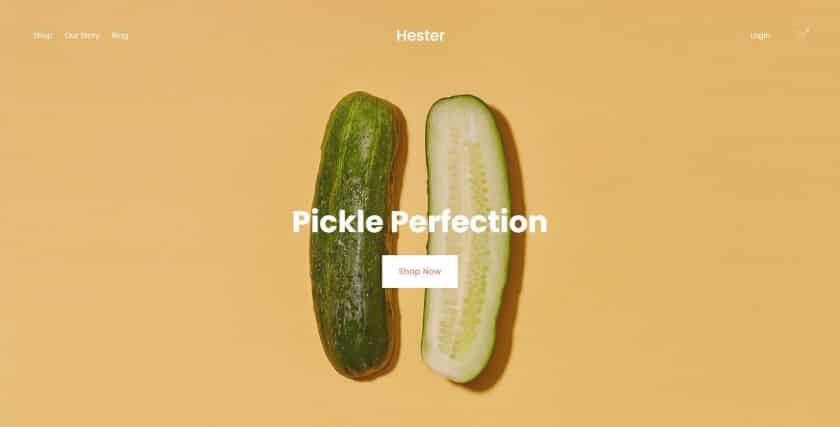
- Hybrid layout balances portfolio presentation with integrated e-commerce functionality.
- Product display sections are clean, elegant, and commercially effective.
- Warm editorial aesthetic suits lifestyle-oriented interior design brands.
- Strong homepage structure supports both services and shop discovery.
✗ Cons
- E-commerce focus means the portfolio section is not as prominent.
- May feel overly commercial for designers who want a pure portfolio site.
- Requires Squarespace Commerce plan to unlock full shop functionality.
Hester is the strongest choice for interior designers who have built - or are building - a product or retail dimension alongside their design services. The template handles the dual identity of designer and retailer with elegance, offering clean product displays alongside portfolio and editorial sections. It's particularly well-suited to designers who sell curated homeware, lighting, furniture, or art alongside their project work. If your business model combines design services with product revenue, Hester gives you the structure to present both without compromise.
Skye
Best for editorial and magazine-style design studios ✓ Pros
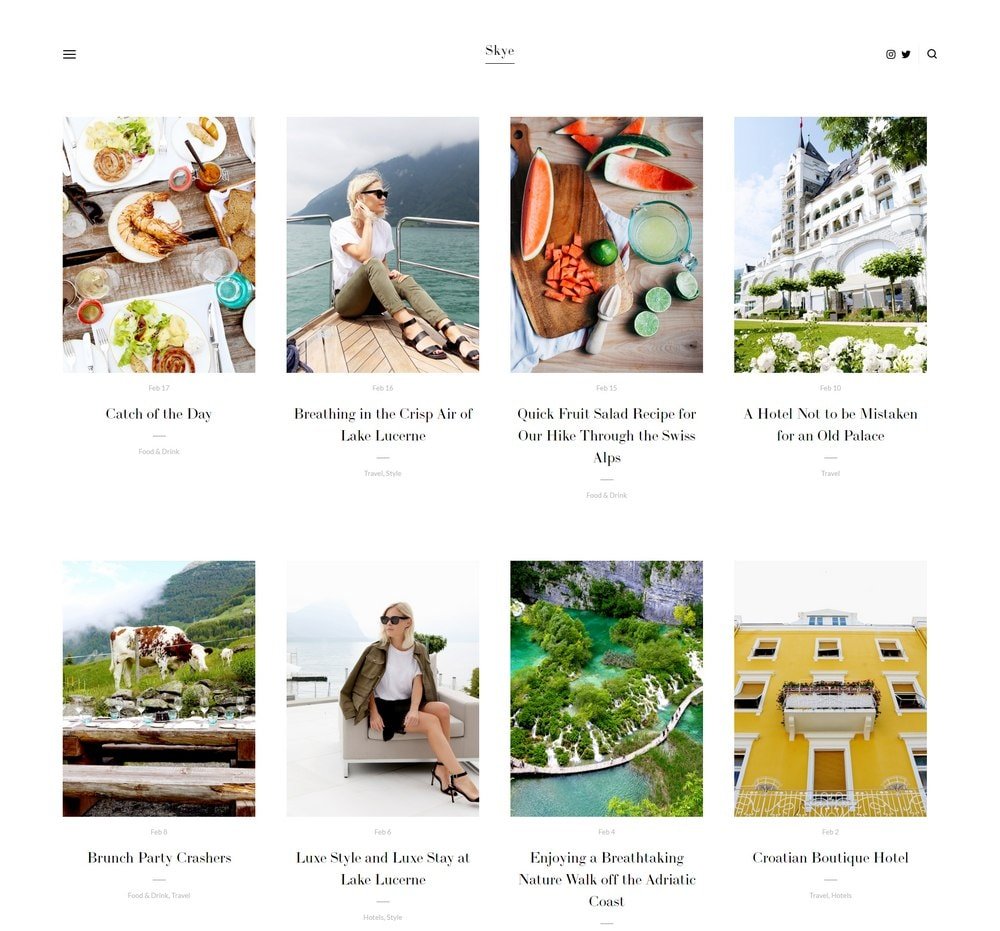
- Magazine-style layout creates a distinctive, media-forward design presence.
- Strong blog and editorial structure supports content-led marketing strategies.
- Rich typographic hierarchy gives the site energy and visual rhythm.
- Generous image display options suit designers with diverse project photography.
✗ Cons
- Editorial aesthetic may feel too content-heavy for studios that prefer minimalism.
- Requires consistent content output to keep the homepage feeling current.
- More complex layout demands careful planning to avoid visual overwhelm.
Skye suits interior design studios that think of their brand as a point of view - not just a service. The magazine-style layout is ideal for designers who publish editorial content, share design inspiration, or use storytelling as part of their client attraction strategy. The rich typographic structure and layered image display give the site an energy and personality that more minimal templates simply cannot match. If your studio has an editorial voice and a story to tell, Skye gives you the platform to tell it compellingly.
Harris
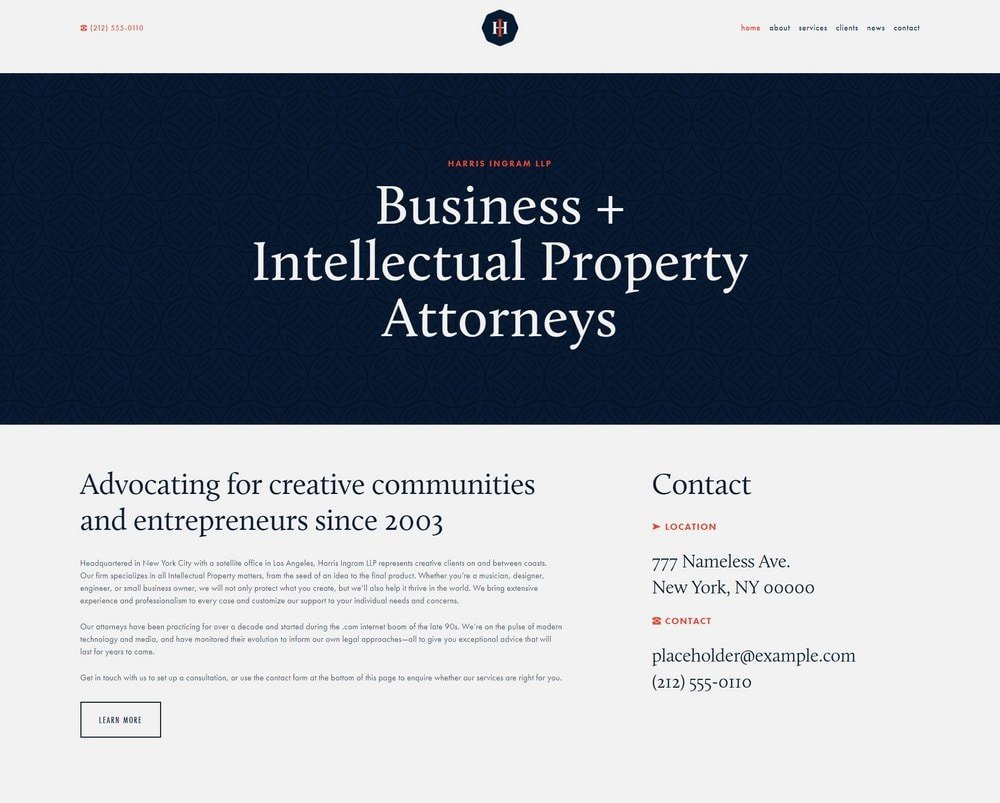
Best for minimal, luxury interior design brands ✓ Pros
- Luxury-grade minimalism communicates exclusivity and premium positioning instantly.
- Refined typographic system projects confidence and high-end design sensibility.
- Full-width image display makes high-end interior photography look exceptional.
- Clean contact and services structure suits premium, enquiry-led business models.
✗ Cons
- Very restrained layout is not suitable for warm or maximalist design aesthetics.
- Limited content variety across sections makes it harder to differentiate pages.
- Requires exceptional photography - average images will not do justice to the layout.
Harris is the definitive luxury template for interior designers on Squarespace. The refined minimalism, precise typography, and full-width image treatment combine to create a website presence that immediately signals premium positioning to prospective clients. It's the right choice for designers who work with high-net-worth clients, charge premium fees, and want every element of their online presence to reflect that level of quality. Harris demands the best photography you have - and delivers in kind.
Hayden
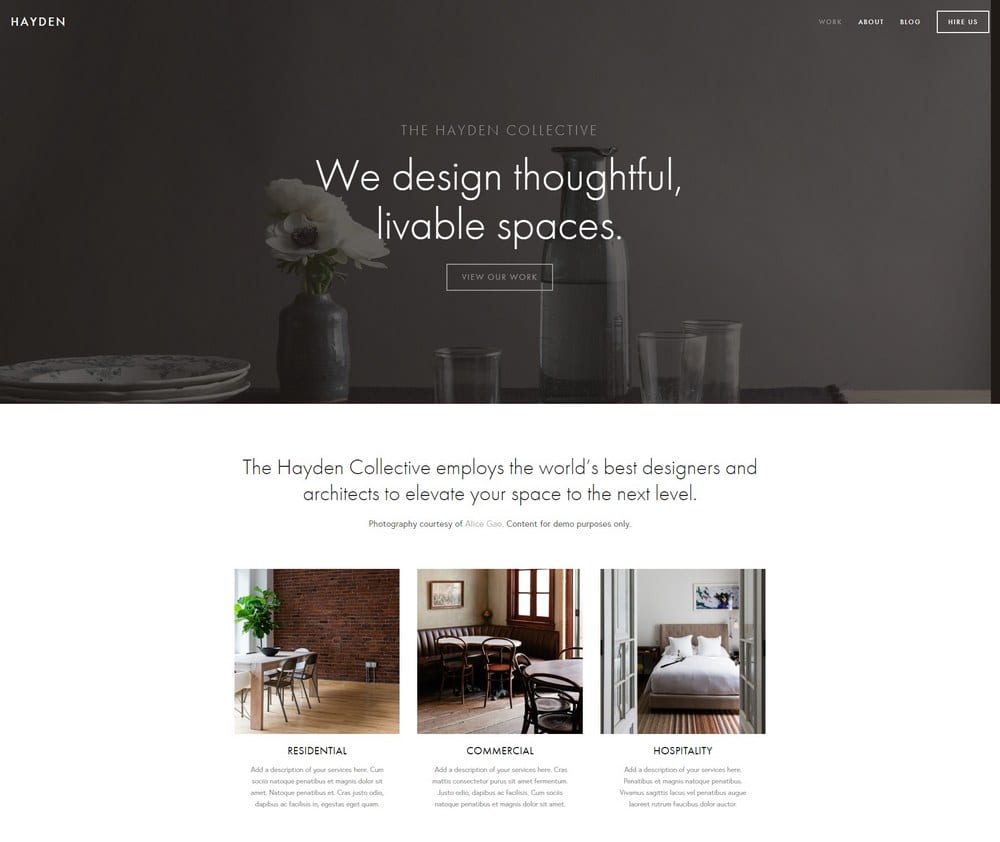
Best for design agencies and multi-service studios ✓ Pros
- Structured multi-section layout handles complex service offerings with clarity.
- Team and about sections support larger studios presenting multiple designers.
- Clean service architecture makes it easy to outline distinct project categories.
- Professional credibility signals suit agency-scale design businesses effectively.
✗ Cons
- Less portfolio-focused than Carson or Bailard - images play a supporting role.
- Can feel corporate if not customized carefully to reflect design personality.
- Not the best fit for solo designers or small residential-only practices.
Hayden is built for design businesses that have outgrown the solo-designer website format. If your studio employs multiple designers, offers services across residential, commercial, and hospitality sectors, or needs to present a structured range of service offerings, Hayden gives you the layout to do it clearly. The multi-section homepage and clean service architecture make it easy for prospective clients to find the specific service they need. For design agencies and larger studios, Hayden is the most functionally capable template on this list.
Avenue
Best for visual portfolio-first design practices ✓ Pros
- Immersive full-screen image layouts create a compelling visual first impression.
- Smooth scrolling and transitions give the site a polished, premium feel.
- Portfolio grid is generous and highly effective for diverse project displays.
- Flexible homepage allows strong creative direction without heavy customization.
✗ Cons
- Image-heavy layout can slow page load if photography is not properly optimized.
- Strong visual focus means services and process information takes a secondary role.
- Less suited to designers who rely on written content or SEO-driven traffic.
Avenue is for interior designers who want their website to feel like a gallery experience. The full-screen image layouts, smooth transitions, and immersive portfolio grid create a visual impact that very few Squarespace templates can match. It's the right choice for designers whose work is their most powerful sales tool and who want prospective clients to be drawn in by the photography before they read a single word of copy. Avenue rewards designers with a strong, diverse portfolio and a confident visual identity.
Lange
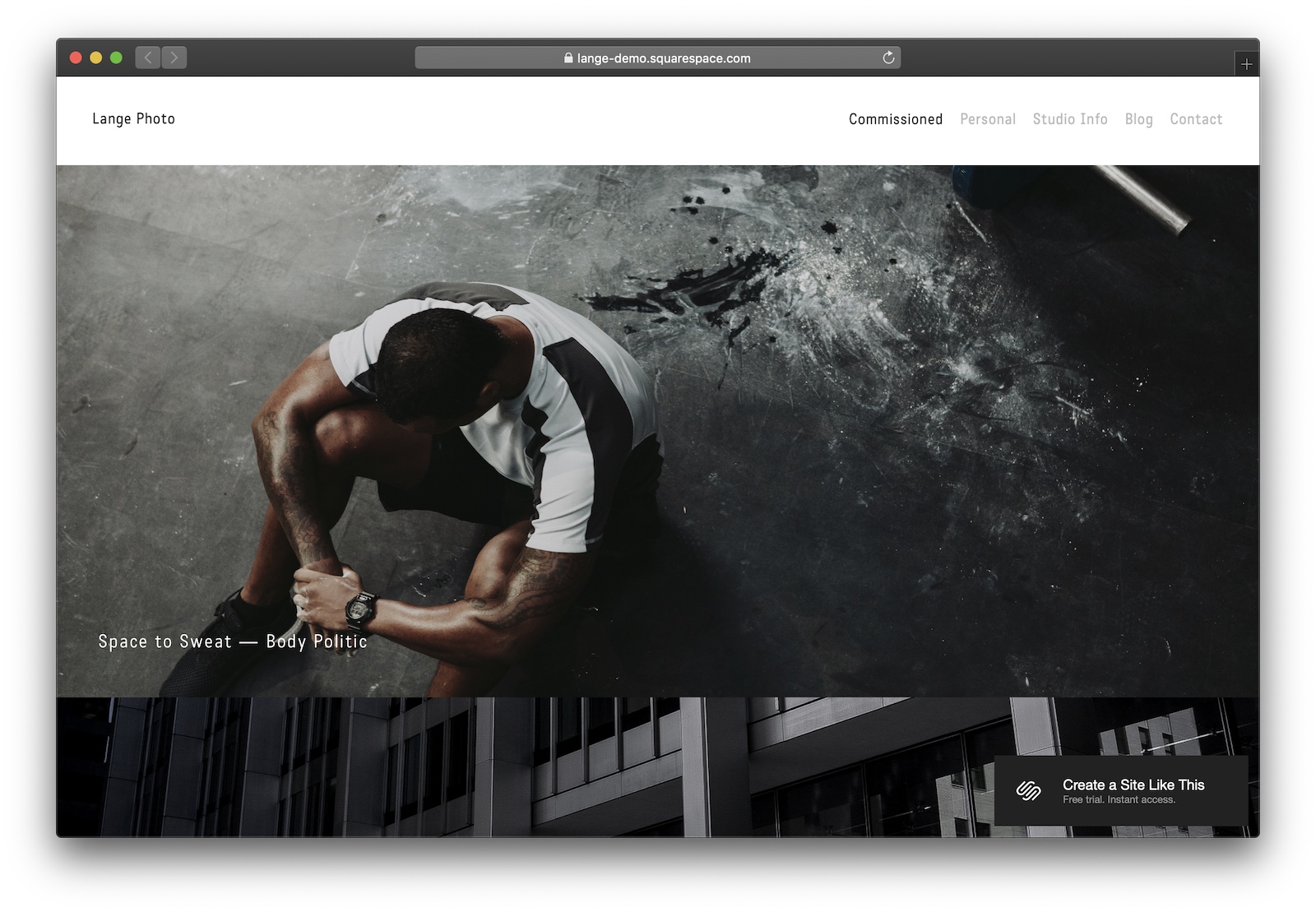
Best for full-service interior design and lifestyle brands ✓ Pros
- Rich, layered layout supports full-service brands with diverse content needs.
- Strong lifestyle editorial aesthetic suits design brands with a personal identity.
- Generous section variety allows homepage storytelling beyond standard portfolio display.
- Warm visual tone builds emotional connection with residential and lifestyle clients.
✗ Cons
- Content-heavy layout requires significant time investment to populate effectively.
- Warmer aesthetic does not suit cold, corporate, or strictly minimalist design brands.
- Less effective as a pure portfolio template compared to Carson or Avenue.
Lange is the most versatile template on this list for interior designers who want to build a lifestyle brand alongside their design practice. The layered layout supports portfolio display, editorial content, services, and personal brand storytelling within a single cohesive structure. It's ideal for designers who appear in publications, run a design blog, or want to build a community around their aesthetic point of view. If your interior design brand is as much about who you are as what you create, Lange gives you the space to express both.
How to Choose a Squarespace Template for Your Interior Design Website
Lead With Your Portfolio
For interior designers, the portfolio is everything - it's how clients decide whether your aesthetic matches their vision before they ever make contact. Carson, Avenue, and Bailard all offer portfolio-first layouts that display project photography at scale and with the editorial quality that design clients expect. Organize your portfolio by project type or room category from the start so new visitors can immediately find work that speaks to their specific needs. Strong portfolio structure is the single biggest conversion driver for any interior design website Squarespace build.
Match Your Template to Your Design Aesthetic
Your website template should function as an extension of your design sensibility. A designer who works in Scandinavian minimalism should choose a template like Harris or Wycoff - clean, restrained, and precise. A maximalist designer or one who specializes in layered, eclectic interiors might choose Bailard or Skye for their richer visual vocabulary. Mismatching your template's tone to your portfolio style sends a confusing signal to prospective clients. For more inspiration across creative fields, see our Squarespace templates for creative professionals guide.
Make the Enquiry Process Simple
Interior design projects are high-value, relationship-driven engagements - so your site needs to make it easy to start a conversation. Bailard and Hayden both provide clean contact and consultation request structures that suit premium design services. Keep your contact form brief, your response time commitment visible, and your process section clear so clients know what to expect when they reach out. The simpler the enquiry path, the higher your lead conversion rate will be.
Plan for SEO From Day One
All Squarespace interior design templates support solid on-page SEO - but it's how you build on that foundation that determines your search visibility. Use descriptive project titles, add alt text to every portfolio image, and structure your site around the terms prospective clients actually search, including phrases like "squarespace interior design templates" and "interior design website squarespace." Templates with strong blog integration, like Bedford and Skye, give you the content architecture to build authority over time. Starting with good SEO habits is far easier than retrofitting them later.
Frequently Asked Questions
What is the best Squarespace template for an interior designer?
Can I showcase a portfolio on a Squarespace interior design template?
Are Squarespace templates for interior designers free?
Which Squarespace template is best for an architecture or design firm?
How do I add project galleries to a Squarespace interior design template?
Do I need design experience to customize a Squarespace interior design template?
Which Squarespace template works best for selling interior design products online?
How many pages does a Squarespace interior designer website need?
How We Evaluate Templates
Conclusion: The Best Squarespace Templates for Interior Designers
The 10 Squarespace interior design templates above cover every practice style - from solo residential consultants and minimalist studios to full-service design agencies and luxury brand portfolios. Each template provides the visual quality, portfolio structure, and professional credibility that design clients expect when evaluating a firm online.
For more options across creative fields, see our Squarespace templates for creative professionals guide - it covers the strongest options for photographers, architects, and other visual practitioners.
* Read the rest of the post and open up an offer