

Editor's Picks
| # | Name | Best For | Price | Rating | Image | |
|---|---|---|---|---|---|---|
| 1 | Bloggers, small eCommerce stores, and portfolio sites that prioritize load speed through clean simplicity | Free | 4.4/5 |
|
More Info | |
| 2 | Travel bloggers, food bloggers, and photographers who need social media integration without sacrificing load speed | Free | 4.2/5 |
.png)
|
More Info | |
| 3 | Corporate businesses, service-based companies, and professionals who need a fast site with a polished, authoritative design | Free | 4.4/5 |
|
More Info | |
| 4 | Food, travel, and tech bloggers who need a minimalist, fast-loading template with eCommerce capability | Free | 4.4/5 |
|
More Info | |
| 5 | Online stores that need modern eCommerce features and fast page loads without compromising the shopping experience | Free | 4.3/5 |
|
More Info | |
| 6 | Entrepreneurs, affiliates, and service providers who need the cleanest, fastest all-purpose Squarespace template | Free | 4.5/5 |

|
More Info | |
| 7 | Restaurants, cafes, and food businesses that need a fast, mobile-responsive site with scheduling and ordering integration | Free | 4.3/5 |

|
More Info | |
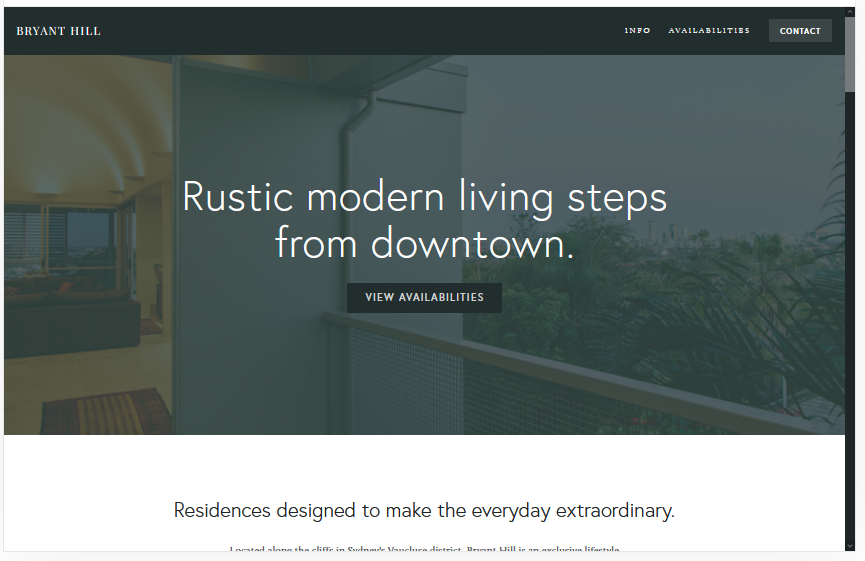
| 8 | Professional businesses, consultants, and agencies that need a bold, clean site with fast performance and multimedia support | Free | 4.2/5 |
|
More Info | |
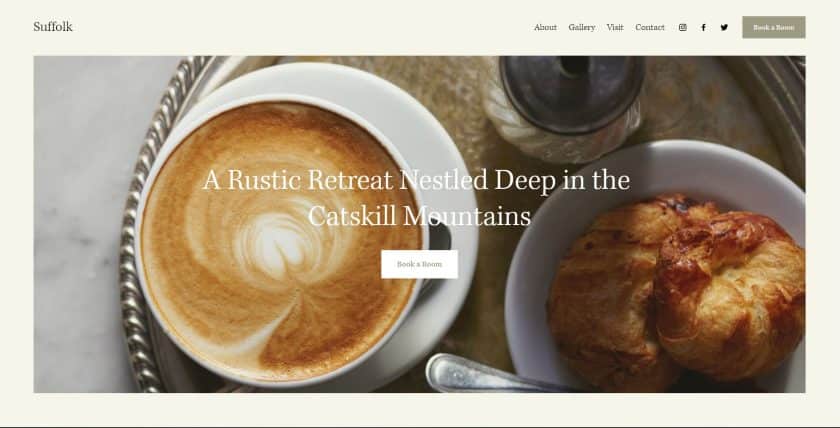
| 9 | Hotels, salons, rental properties, and restaurants that need a clean, traditional design with fast loading and appointment integration | Free | 4.3/5 |
|
More Info | |
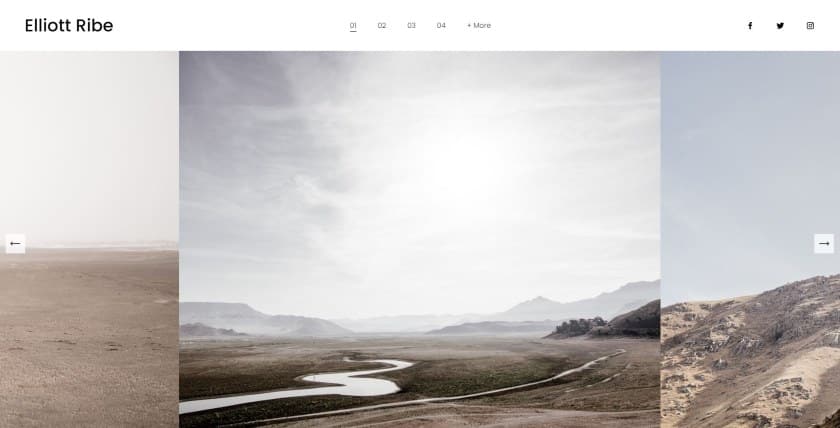
| 10 | Photographers, designers, and creatives who need a fast-building, mobile-friendly portfolio with strong Google ranking potential | Free | 4.1/5 |
|
More Info |
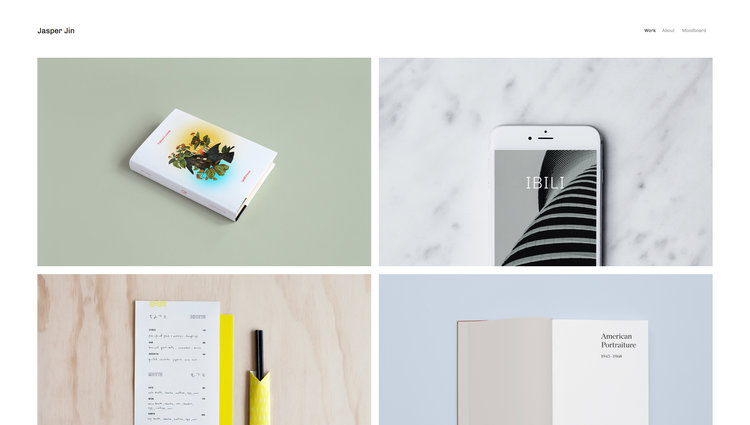
Jasper
Best for Simplicity-Driven Speed ✓ Pros
- One of the simplest Squarespace templates available, which translates directly into being one of the fastest, minimal code overhead means the browser renders Jasper almost instantly on both desktop and mobile connections.
- Grid block layout organizes content efficiently without relying on heavy scripts or animation libraries that slow competing templates down during initial page load.
- Front page animations are lightweight and CSS-driven rather than JavaScript-heavy, adding visual polish without the performance penalty that more complex animation frameworks introduce.
- Works equally well for blogging and eCommerce, with portfolio pages that load quickly because the template's architecture avoids the resource-heavy gallery scripts that drag down more visually ambitious designs.
- The template's simplicity makes it highly customizable without performance degradation, adding your own design touches does not compound the code bloat that heavier templates already carry.
✗ Cons
- The simplicity that makes Jasper fast also means it looks understated by default, sites that need strong visual impact on first impression may find the template too restrained without significant customization work.
- Limited built-in design flourishes compared to more feature-rich Squarespace templates, which means you may spend more time styling to achieve a polished look.
- Portfolio page layouts are functional but basic, photographers and visual creatives with gallery-heavy portfolios may want more sophisticated image presentation options.
Jasper earns its place as one of the fastest Squarespace templates by doing something most templates refuse to do: leaving things out. Every element that does not serve the visitor's experience has been stripped away, and what remains loads with the kind of speed that visitors notice without thinking about, the page is simply there, ready, before the expectation of waiting even forms. For bloggers, small eCommerce operators, and portfolio builders who understand that speed is the first user experience decision a website makes, Jasper delivers that decision flawlessly.
Native
Best for Social-Integrated Speed ✓ Pros
- Social media integration is built into the template's core architecture rather than bolted on through third-party widgets, which means social feeds and sharing buttons load as part of the page rather than as separate resource-heavy embeds that delay rendering.
- Scrolling design with rounded thumbnails creates an engaging visual experience that feels modern and image-rich while keeping the actual asset count manageable for fast loading Squarespace performance.
- Ideal for travel, food, and photography niches where the content is inherently visual and social, the template understands that these audiences expect both speed and visual richness.
- Blog location features help content creators organize posts by geography or category without adding database-heavy filtering scripts that slow page delivery on content-rich sites.
- The scrolling layout loads content progressively as visitors move down the page, which means the initial above-the-fold render is extremely fast even when the full page contains substantial content.
✗ Cons
- The social media integration that makes Native distinctive also means the template performs best when you actually maintain active social accounts, empty or outdated social feeds create dead space rather than engagement.
- Rounded thumbnail styling is a strong design opinion that may not suit all brand aesthetics, and overriding it requires custom CSS that can introduce the overhead Native otherwise avoids.
- The scrolling design works well for content-first sites but may feel less structured for service-based businesses that need visitors to find specific information quickly.
Native solves a problem that most fast Squarespace templates ignore: how do you build a socially connected, image-rich site that still loads quickly? The answer is architecture rather than compromise. By integrating social elements into the template's native code rather than relying on external scripts, Native delivers a browsing experience where social proof, visual storytelling, and fast page loads coexist without conflict. For travel bloggers, food photographers, and content creators whose audience lives on social platforms, Native bridges those worlds without making visitors wait.
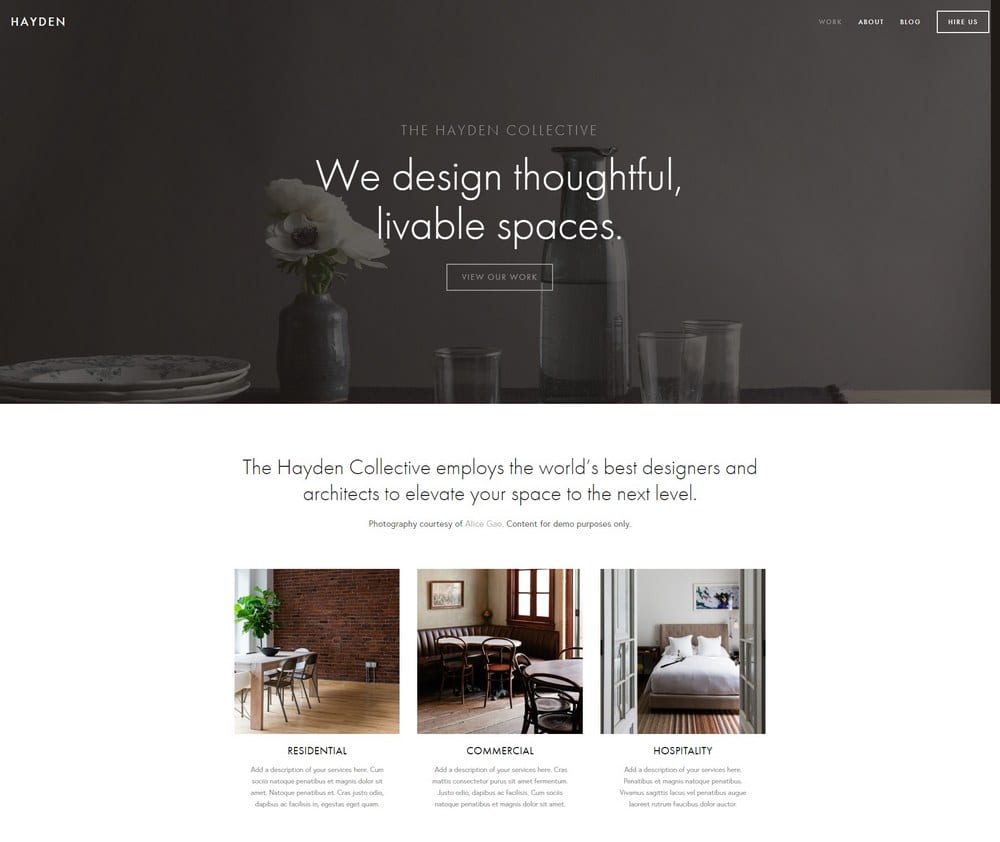
Hayden
Best for Corporate Speed and Style ✓ Pros
- Beautiful design that manages to look premium and corporate without the heavy asset load that most visually impressive templates carry, Hayden achieves its aesthetic through layout intelligence rather than resource-heavy effects.
- Sticky top-right menu keeps navigation accessible without adding a persistent JavaScript listener that recalculates on every scroll event, which is a common source of jank and slowdown on other templates with fixed navigation.
- Portfolio and gallery sections are optimized for corporate case studies and service showcases, loading images on demand rather than all at once when the page first renders.
- Built-in booking system integration connects cleanly with Squarespace's scheduling tools without adding external script dependencies that bloat page load times on service-based sites.
- Blog functionality is built for SEO-focused content marketing, with clean markup and fast-rendering post layouts that help corporate sites rank without sacrificing the speed that keeps visitors engaged.
✗ Cons
- The corporate aesthetic, while polished, may feel too formal for creative professionals, artists, or casual brands that want their website to feel more approachable and personal.
- The sticky menu design is distinctive but takes some adjustment for visitors accustomed to traditional top-centered navigation layouts.
- Gallery and portfolio features are designed for corporate use cases, photographers and visual artists may find the image display options less suited to fine art or editorial presentation.
Hayden proves that fast Squarespace web design does not mean sacrificing visual authority. The template looks like it belongs on a firm's homepage, clean lines, confident typography, professional presence, but loads with a speed that most corporate-grade templates cannot match. The sticky menu, the integrated booking system, the blog built for ranking, every feature is implemented with an awareness that the corporate audience Hayden serves has the least patience for slow websites and the highest expectations for design quality. It delivers both.
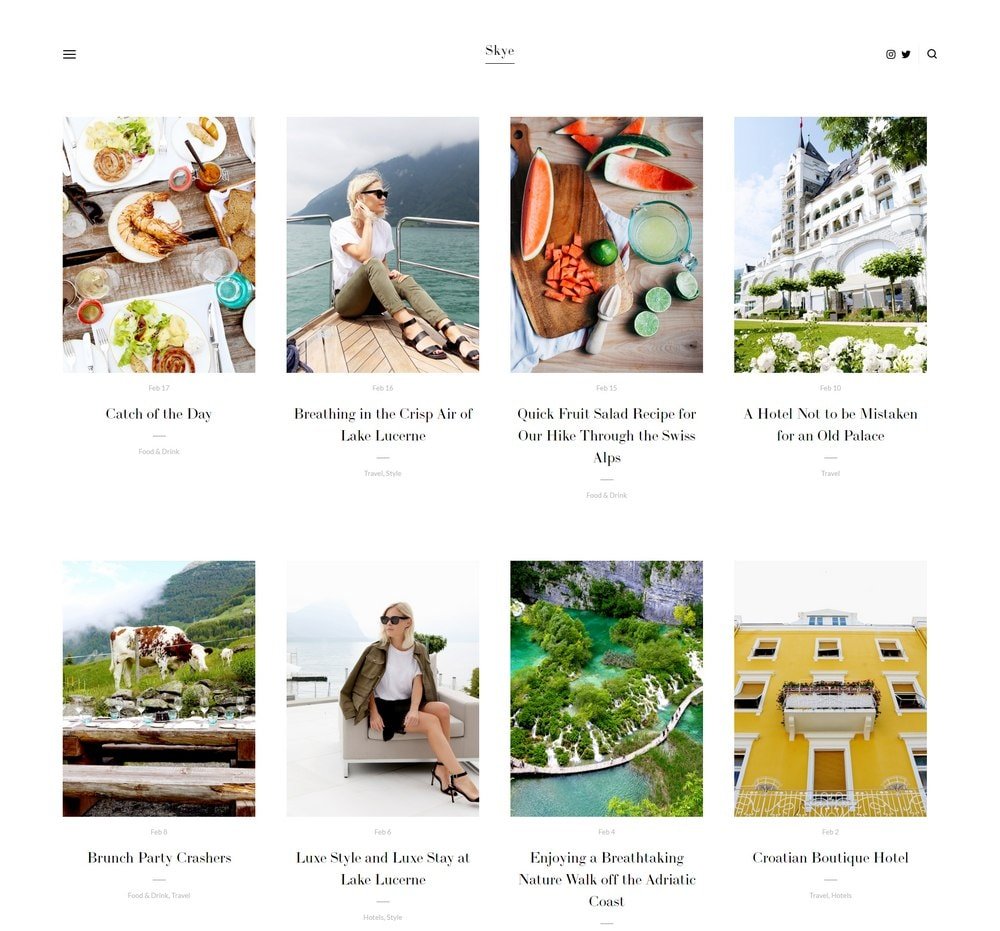
Skye
Best for Fast Blogging and Content Sites ✓ Pros
- Minimalist design with limited coding overhead makes Skye one of the fastest loading Squarespace templates for content-heavy sites, the template renders blog posts and pages with almost no unnecessary code between the server response and the visible content.
- Fullscreen hero images and grid-based layouts create visual impact without the complex JavaScript that fullscreen designs typically require, keeping the initial page paint fast even with large header images.
- Slide-out menu keeps the navigation completely off-screen until requested, which means zero rendering cost for navigation elements during the critical first-load moment when speed matters most.
- Built-in support for merchandise, dropshipping, and affiliate marketing means bloggers can monetize without adding third-party scripts and plugins that are the single biggest source of speed degradation on content sites.
- Grid-based content layout loads posts in a predictable, browser-optimized pattern that renders smoothly on both high-speed desktop connections and slower mobile data networks.
✗ Cons
- The minimalist approach means Skye looks spare by default, bloggers who want a visually rich, magazine-style reading experience will need to invest in strong photography and careful styling to avoid a too-simple impression.
- The slide-out menu, while fast, hides navigation behind an interaction step that some visitors may not discover immediately, particularly older audiences less familiar with hamburger-menu conventions.
- Fullscreen image sections depend heavily on image quality, poorly compressed or low-resolution hero images are more visible on Skye's clean canvas than they would be on a busier template.
Skye is the fastest Squarespace template for bloggers who understand that their audience came for the content, not the chrome around it. The minimalist architecture strips away every millisecond of unnecessary load time, and what loads is exactly what a food, travel, or tech blog visitor wants: the content, the images, and a clear path to the next post. The eCommerce integration for merchandise, dropshipping, and affiliate products is the practical detail that makes Skye a business tool as well as a content platform, and it adds that functionality without adding the speed penalty.
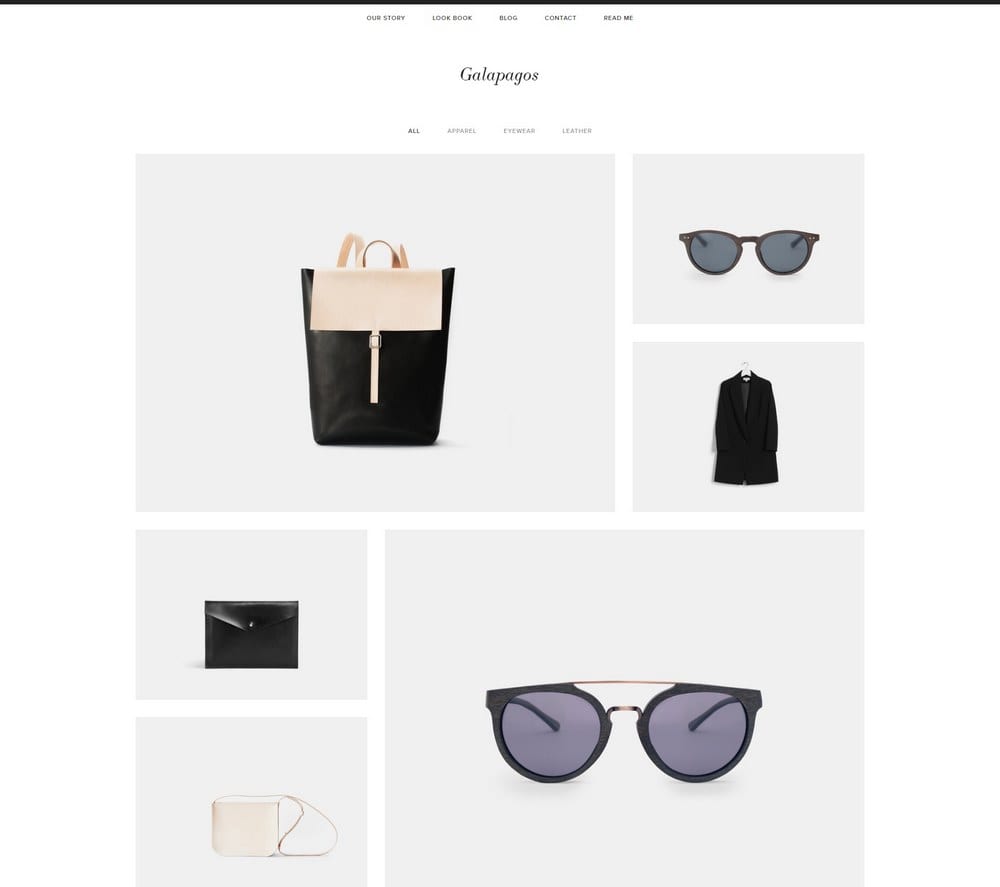
Galapagos
Best for Fast eCommerce ✓ Pros
- Quick view popup lets shoppers preview product details without a full page load, this single feature dramatically reduces the number of complete page renders during a typical shopping session, making the overall browsing experience feel significantly faster.
- Squarespace shopping cart integration is native and lightweight, avoiding the heavy third-party cart scripts that slow down most eCommerce templates during the critical checkout flow where speed directly affects conversion rates.
- Minimalist design philosophy keeps the product catalog visually clean while maintaining the feature depth that serious eCommerce requires, fast Squarespace templates for stores rarely manage this balance so effectively.
- Trust-building elements like clean product presentation, clear pricing, and professional layout signal credibility without relying on badge-heavy, script-loaded trust widgets that add visual clutter and load time simultaneously.
- Feature-rich despite the minimalist appearance, product filtering, category navigation, and related product suggestions all work within the template's fast-loading architecture rather than being added as performance-costly extras.
✗ Cons
- The minimalist store aesthetic works best with strong product photography, stores with inconsistent or low-quality product images will find the clean layout amplifies those weaknesses rather than hiding them.
- The quick view popup, while fast, shows limited product information, stores with products that require detailed specifications, size guides, or extensive descriptions may find the popup insufficient for informed purchase decisions.
- The template's eCommerce focus means non-store pages like blogs and about sections feel secondary in the design hierarchy, which can be limiting for brands that rely on content marketing alongside direct sales.
Galapagos answers the question that every eCommerce site owner asks: can a store be both fast and feature-rich? The quick view popup alone changes the speed equation by eliminating full page reloads for product browsing. The native Squarespace shopping cart avoids the external scripts that make most online stores sluggish at checkout. And the minimalist design keeps the visual experience clean while the feature set underneath does the heavy commercial work. For online stores where every second of load time translates directly to revenue, Galapagos delivers the fastest Squarespace eCommerce experience available.
Almar
Best for Clean, Fast All-Purpose Sites ✓ Pros
- The cleanest and easiest Squarespace template to set up, with a ready-made design that looks professional immediately, the speed benefit is not just in page load time but in how quickly you can go from starting to launching a fast, polished site.
- Works for selling products, services, and affiliate offers equally well, with a layout that adapts to large or small catalogs without requiring structural changes that could introduce performance issues.
- Generous call-to-action placement throughout the template drives conversions without relying on popup scripts, sticky bars, or other CTA tools that add JavaScript overhead and slow down the page.
- Fast-loading by design rather than by limitation, Almar includes the sections, features, and layout flexibility of a full-featured template while maintaining the page speed of a much simpler one.
- Ready-made design sections mean less custom code and fewer third-party integrations needed to achieve a complete, professional site, every integration you do not need is a script that does not slow your page down.
✗ Cons
- The ready-made design convenience means many Almar sites look similar out of the box, achieving a distinctive brand identity requires more deliberate customization than templates that start with a stronger design opinion.
- The all-purpose architecture is a strength for versatility but means Almar does not excel in any single niche the way purpose-built templates excel in theirs.
- CTA-heavy layouts can feel sales-forward if not balanced with enough content and value, sites that over-rely on Almar's built-in CTA sections risk feeling pushy rather than helpful.
Almar is the fastest Squarespace template for people who need a site that works right now. Not next week after customization, not after hiring a designer to adjust the layout, now. The ready-made design is clean, the CTAs are already placed where they convert, and the page speed is genuinely fast because the template was built to include only what a site actually needs. For entrepreneurs, affiliate marketers, and service providers who understand that a fast site that exists today outperforms a perfect site that launches next month, Almar is the practical choice that also happens to be the fast one.
Tremont
Best for Fast Restaurant and Food Industry Sites ✓ Pros
- Large front page images create the visual appetite appeal that food industry sites demand, while the static homepage design avoids the slideshow and parallax scripts that make most image-heavy restaurant templates slow to load.
- Static homepage architecture means the entire above-the-fold content renders in a single paint cycle, no waiting for carousel scripts, no layout shift from lazy-loaded hero sections, just instant visual delivery of your restaurant's strongest image.
- ChowNow and Squarespace Scheduling integrations load asynchronously rather than blocking the initial page render, so visitors see your site immediately while booking and ordering tools initialize in the background.
- Mobile-responsive design is not just an afterthought, Tremont's layout was clearly built with mobile-first performance in mind, which matters enormously for restaurants where the majority of traffic comes from phones searching for nearby dining options.
- Fast page transitions between menu, about, and contact pages keep the browsing experience feeling instant, a restaurant visitor checking your hours, menu, and location should never wait between pages, and Tremont ensures they do not.
✗ Cons
- The food-industry-optimized design means Tremont looks and feels like a restaurant template, businesses outside the food sector will need significant restyling to make it work for a different context.
- The large front page image approach requires high-quality, professionally shot food or venue photography to achieve its intended impact, stock photos or amateur shots are more exposed on Tremont's clean canvas.
- The static homepage, while fast, offers less dynamic content options than templates with modular, customizable section builders, adding new content types may require workarounds.
Tremont is the fastest Squarespace template purpose-built for the food industry, and it understands something fundamental about restaurant website visitors: they are hungry, they are usually on their phone, and they need your menu, your hours, and a way to book or order within seconds. The static homepage delivers your best food photography instantly. The scheduling and ordering integrations load without blocking the page. The mobile experience is fast enough to serve the visitor who is standing on the sidewalk deciding where to eat right now. That is the speed that actually matters for restaurants.
Bryant Hill
Best for Fast Professional Business Sites ✓ Pros
- Scrolling page design loads content progressively as visitors move through the site, which keeps the initial page render fast while allowing the full page to contain substantial content including images, videos, and audio elements.
- Bold, clean look communicates professional authority immediately without relying on heavy graphic elements or complex animations that trade visual impact for page speed on most business-oriented templates.
- Sidebar layout provides secondary navigation and content access without adding full-width sections that increase the total page weight, a structurally efficient approach to information architecture that also happens to be fast.
- Email marketing and social media integration connect natively rather than through external embed scripts, keeping the page load clean while still giving businesses the marketing tools they need to capture and nurture leads.
- Images, videos, and audio are all supported within the template's optimized loading framework, multimedia content loads on demand as visitors scroll rather than all at once on page entry, which is critical for keeping fast Squarespace web design performance on media-rich business sites.
✗ Cons
- The bold design style has a strong personality that may feel too assertive for businesses in softer, more personal industries like wellness, therapy, or personal coaching.
- The scrolling page format works well for storytelling but can make it harder for visitors to find specific information quickly, businesses with complex service offerings may need to supplement with dedicated subpages.
- Video and audio content, while well-supported, still carries inherent file size overhead, businesses that embed many media elements will need to manage compression carefully to maintain the speed advantage.
Bryant Hill is the fast Squarespace template for businesses that need to say a lot without making visitors wait for it. The progressive loading architecture means a page that contains images, video testimonials, audio clips, team photos, and a full service description still renders its first screen instantly, and then delivers the rest as the visitor is ready for it. The bold, professional aesthetic does not come at the cost of speed because the template's architecture is designed around the principle that visual authority and fast performance are not competing priorities.
Suffolk
Best for Fast Service and Hospitality Sites ✓ Pros
- Clean, traditional design loads with the speed you would expect from a simple template but delivers the polished, trustworthy aesthetic that hospitality and service businesses need, visitors book with businesses that look established, and Suffolk communicates that instantly.
- Sticky menu with subtle animations stays accessible during scrolling without the performance overhead of complex fixed-navigation scripts, the animations are CSS-based and render smoothly even on older mobile devices.
- Appointment setting integration is a core feature rather than an add-on, which means the booking functionality loads as part of the page architecture rather than as a separate widget that adds its own scripts and stylesheets to the page weight.
- Easy to customize without breaking the speed advantage, Suffolk's clean architecture means adding your own branding, colors, and content does not compound hidden performance costs the way customizing a more complex template often does.
- The traditional design aesthetic ages well and does not require frequent visual updates to look current, which means your fast site stays fast rather than needing periodic redesigns that risk introducing new performance overhead.
✗ Cons
- The traditional design is deliberately conservative, businesses looking for a trend-forward, modern aesthetic will find Suffolk too understated for their brand positioning.
- The hospitality-focused layout assumes visitors want to browse services and book appointments, which may not match the user journey for businesses with different conversion goals like product sales or lead generation.
- Sticky menu animations, while lightweight, add a small amount of visual motion that some visitors may find distracting on pages where they want to focus on reading content without movement.
Suffolk is the fastest Squarespace template for businesses where trust is the conversion mechanism. Hotels, salons, rental properties, and restaurants do not sell products, they sell experiences, and visitors decide whether to book that experience based on whether the website feels reliable, professional, and easy to use. Suffolk delivers all three at a page speed that means the visitor's first impression is of the business, not of a loading screen. The appointment integration seals the deal by making the path from browsing to booking as frictionless as the page load itself.
Elliott
Best for Fast Portfolio and Gallery Sites ✓ Pros
- One of the top-performing Squarespace templates for speed-to-launch, Elliott's slideshow gallery homepage is quick to populate, quick to customize, and quick to publish, which means your fast site is also fast to build.
- Slideshow gallery homepage loads images sequentially rather than all at once, keeping the initial page render fast while still presenting a rich visual portfolio experience as visitors engage with the slideshow navigation.
- Horizontal images with integrated CTAs create a unique browsing experience that guides visitors through your work while presenting conversion opportunities, each slide is both a portfolio piece and a potential entry point to deeper content.
- Mobile-friendly design renders consistently across devices without the responsive-design overhead that makes many gallery templates slow on phones, Elliott's mobile experience is fast because it was designed for mobile from the start, not adapted to it afterward.
- Strong Google ranking performance is partly attributable to the template's fast load speed and clean code structure, search engines reward fast sites, and Elliott's architecture gives every page an inherent SEO advantage from the moment it is published.
✗ Cons
- The slideshow-first homepage design commits you to a specific presentation format, if your portfolio benefits more from a grid or masonry layout, Elliott's sequential approach may feel limiting.
- Horizontal image orientation is favored by the slideshow format, which means portrait-orientation work or square-format images may not display with the same visual impact.
- The template's simplicity means fewer built-in design sections compared to more feature-rich Squarespace templates, building out service pages, detailed about sections, or complex navigation hierarchies requires more manual work.
Elliott is the fast Squarespace template that proves speed is not just about load time, it is about every dimension of the website experience. Fast to build, fast to load, fast to browse on mobile, and fast to rank on Google. The slideshow gallery homepage turns your portfolio into a guided experience where each image loads only when it is needed, keeping performance tight while the visual presentation stays rich. For photographers, designers, and creatives who want their work online quickly and performing well from day one, Elliott delivers speed in every sense of the word.
Enhancing Website Performance
Why Speed Matters for Every Squarespace Site
Page speed is not a technical detail, it is the first experience every visitor has with your website. Before they read your headline, see your images, or evaluate your offer, they experience how long your site takes to appear. Research shows that 53% of mobile visitors abandon a site that takes longer than three seconds to load. For the fastest Squarespace templates, that threshold is the baseline rather than the goal. Choosing a fast Squarespace template means choosing to respect your visitor's time before they even know you exist.
The Impact on SEO and Search Rankings
Google has used page speed as a ranking factor since 2010, and with the introduction of Core Web Vitals, the weight given to loading performance has only increased. The fastest loading Squarespace templates give your content an inherent ranking advantage by delivering clean code, efficient asset loading, and fast initial render times. Two pages with identical content and backlink profiles will rank differently based on load speed alone, and over hundreds of pages and thousands of searches, that difference compounds into meaningful traffic gaps that directly affect revenue.
User Engagement and Conversion
Speed does not just get visitors to your site, it keeps them there. Fast-loading pages have lower bounce rates, higher pages-per-session metrics, and stronger conversion rates across every industry and business model. A visitor who arrives on a fast Squarespace template and sees content immediately is psychologically primed to engage. A visitor who waits four, five, or six seconds has already begun forming a negative impression of the business behind the website. The fastest Squarespace templates eliminate that friction before it starts.
Optimizing Your Squarespace Site for Speed
Choosing the Right Template
Template selection is the single highest-impact speed decision you will make on Squarespace. A fast template with clean architecture will outperform a heavy template that you have tried to optimize after the fact. Start with one of the fast Squarespace templates reviewed above, and you begin with a speed advantage that no amount of after-the-fact optimization can replicate on a slower template. The code, the asset loading strategy, and the rendering architecture are baked into the template, choose one that gets these fundamentals right from the start.
Customization and Content Optimization
Even the fastest loading Squarespace templates can be slowed down by unoptimized content. Compress every image before uploading, aim for under 200KB for standard images and under 500KB for full-width hero images. Limit the use of custom fonts to one or two families. Avoid third-party embed scripts for functionality that Squarespace provides natively. Every external script, uncompressed image, and unnecessary font file adds load time that compounds across every page of your site. Treat your content the way you treat your template: lean, purposeful, and focused on what actually serves the visitor.
Regular Performance Monitoring
Your site's speed is not static, it changes as you add content, install integrations, and update your design. Run Google PageSpeed Insights on your key pages monthly to catch performance regressions before they affect your traffic and rankings. Pay attention to Largest Contentful Paint and Cumulative Layout Shift scores specifically, as these are the Core Web Vitals metrics that most directly reflect the visitor's experience of speed. The fastest Squarespace templates give you an excellent starting point, but maintaining that speed requires ongoing attention to what you add to the site after launch.
Frequently Asked Questions
What is the fastest Squarespace template?
How do I make my Squarespace site load faster?
Does Squarespace template choice affect page speed?
Are faster Squarespace templates better for SEO?
What makes a Squarespace template fast or slow?
How does page speed affect my Squarespace site's conversion rate?
How We Evaluate Templates
Conclusion: Choose a Fast Squarespace Template That Works as Hard as Your Business
The fastest Squarespace templates on this list each take a different path to speed, because speed without purpose is just an empty page that loaded quickly. Jasper gives you raw simplicity. Almar gives you ready-made efficiency. Galapagos gives you fast eCommerce. Tremont gives you instant restaurant presence. Elliott gives you a portfolio that ranks. The right choice depends on what your site needs to do, and every template here does it fast.
Start with the template that matches your business, compress your images, skip the unnecessary scripts, and let your content load at the speed your visitors expect. For more on optimizing your Squarespace site's structure and design, explore our guide to Squarespace templates design and layout.
* Read the rest of the post and open up an offer