
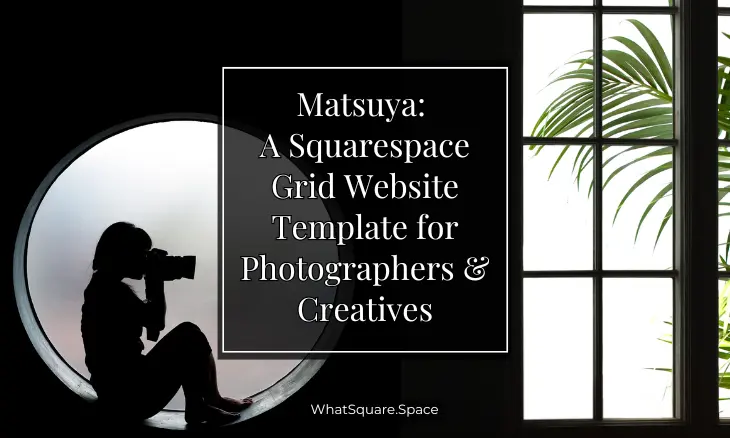
Choosing the right Squarespace photography template shapes how potential clients and collaborators experience your work before they ever reach out. A cluttered layout or generic design can undermine even the strongest portfolio. Photographers need a website that stays out of the way and lets every image command attention.
The Kevin Matsuya Squarespace template was designed with exactly that philosophy. Its grid-based structure organizes your projects into a clean, editorial-style gallery that scales beautifully across devices. Whether you shoot editorial fashion, fine art landscapes, or documentary stories, this Squarespace grid template provides a framework that feels intentional and polished. In this Matsuya template review, we break down what makes it stand out, who benefits most from it, and how to get the most from its design.
Editor's Picks
| # | Name | Best For | Price | Rating | Image | |
|---|---|---|---|---|---|---|
| 1 | Photographers, visual artists, and creative portfolios | Free | 4.3/5 |

|
More Info |
Matsuya
Best for Photographers and Visual Creatives ✓ Pros
- Grid-based editorial layout that organizes images into a cohesive visual narrative
- Minimalist design strips away distractions and puts full focus on your photography
- Dynamic image scaling adapts smoothly across desktop, tablet, and mobile screens
- Category-based navigation makes it easy for visitors to browse different projects or series
- Built-in SEO structure helps your portfolio rank in search and attract organic traffic
✗ Cons
- Minimalist grid layout may feel limiting for creatives who want text-heavy case studies alongside their images
- Gallery-style design relies on professional-grade photography, so low-quality images will weaken the overall impact
- Dark or moody photography styles may need custom CSS adjustments to maintain contrast against the default background
The Matsuya Squarespace template stands out because it treats your portfolio like a gallery exhibition, not a file dump. Every image gets breathing room, every project feels intentional, and the overall experience rewards visitors who spend time with your work rather than rushing them through a feed.
How to Choose the Right Squarespace Photography Template
Match the Template to Your Photography Style
Not every photography template works for every genre. A structured grid layout like the Matsuya Squarespace template is a natural fit for editorial portfolios, fine art collections, and project-based photography where images need equal visual weight. If your work leans toward full-bleed cinematic storytelling or single-image hero presentations, a different layout style might serve you better. The key is choosing a template whose default structure complements how you naturally organize and present your shots.
Evaluate Your Image Quality and Volume
Grid-based templates like Matsuya depend on consistent, high-quality images to deliver their full impact. Every thumbnail in the grid sits next to others, so inconsistent lighting, color grading, or resolution will stand out immediately. Before committing to this Squarespace grid template, review your current portfolio. If your images are sharp, well-edited, and visually cohesive as a set, Matsuya will amplify them. If your library is mixed, curate a tighter selection of your strongest work first.
Think About How Visitors Will Navigate Your Work
Photographers working across multiple genres or client types need clear navigation. The Matsuya template supports category-based organization, letting you separate wedding work from commercial shoots or personal projects from commissioned series. When choosing any photography portfolio template, consider how your ideal client browses. Art directors, gallery curators, and potential collaborators all search differently, and your template should make it easy for each of them to find relevant work quickly.
Test the Mobile Experience Before Committing
A growing share of portfolio views happen on phones and tablets. Art directors scrolling through submissions on the go, clients checking your site from a coffee shop, or fellow photographers browsing on transit all need a smooth experience. The Matsuya Squarespace template is fully responsive and adapts its grid to smaller screens without losing visual impact. When evaluating any template, always preview it on mobile first, if the images feel cramped or the navigation requires too many taps, your visitors will move on.
Frequently Asked Questions
What is the Matsuya Squarespace template?
Is the Matsuya template free with Squarespace?
What type of photographer is the Matsuya template best for?
How do I customize the Matsuya Squarespace template?
Is the Matsuya template mobile-friendly?
What makes Matsuya different from other Squarespace photography templates?
Conclusion: Build Your Photography Portfolio With Matsuya
The Matsuya Squarespace template gives photographers and visual creatives a portfolio that feels as intentional as the work inside it. If your photography relies on composition, mood, and visual storytelling, Matsuya ensures your online presence reflects that same level of care. For photographers focused on specific genres, our guides to nature photography templates, fashion photography templates, and the Minetta food photography template offer more specialized alternatives worth exploring.
Already using Matsuya? Drop your site link in the comments, we would love to see your portfolio in action.
* Read the rest of the post and open up an offer